Smart Bill Calendar Payment Tracker | Monthly Budget Planner (Digital Download)
$5.24 $6.99
📝 DESCRIPTION
________________________________________
💳✨ ELDON-Digital Smart Bill Calendar — Never Miss a Payment Again! ✨💳
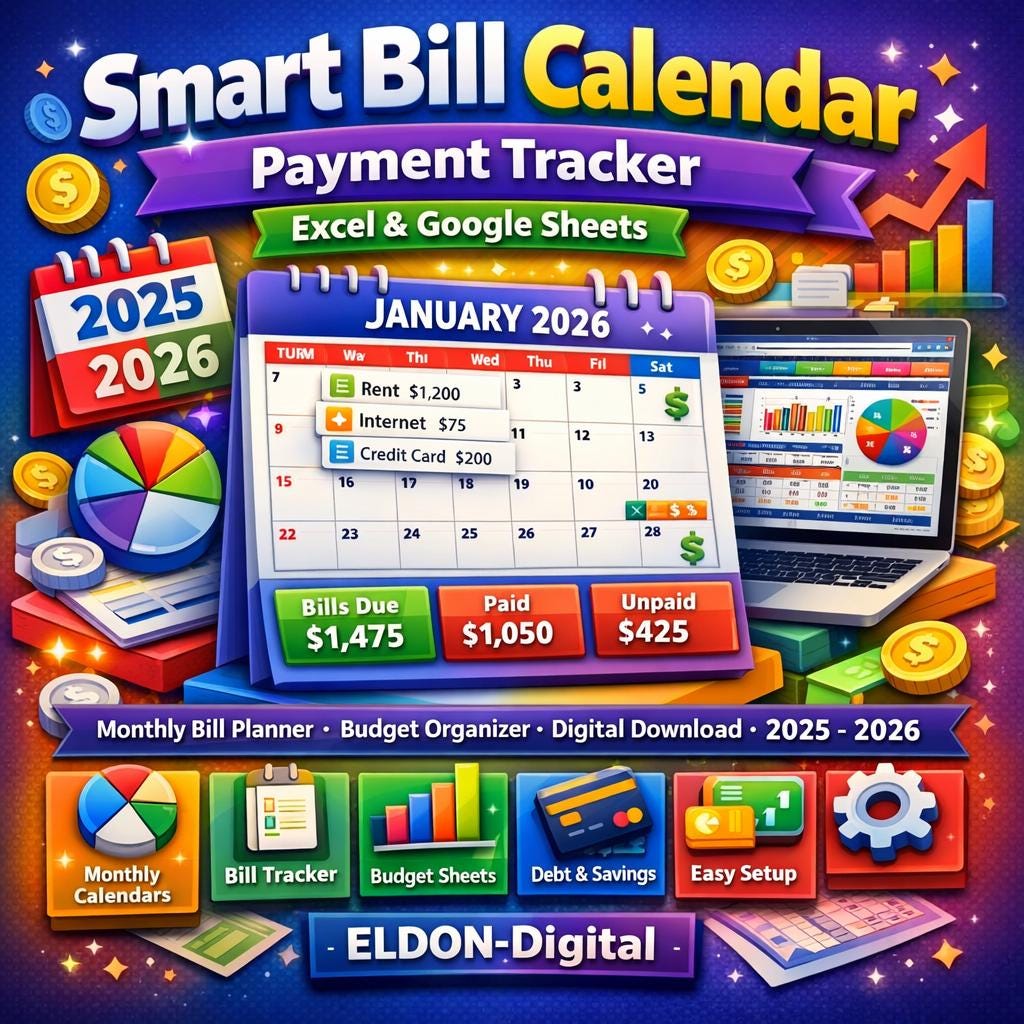
Take complete control of your finances with the ELDON-Digital Smart Bill Calendar & Payment Tracker — a beautifully designed, fully automated spreadsheet system that organizes every bill, payment, and financial deadline you have, all in one powerful digital planner. Available instantly for both Microsoft Excel AND Google Sheets.
________________________________________
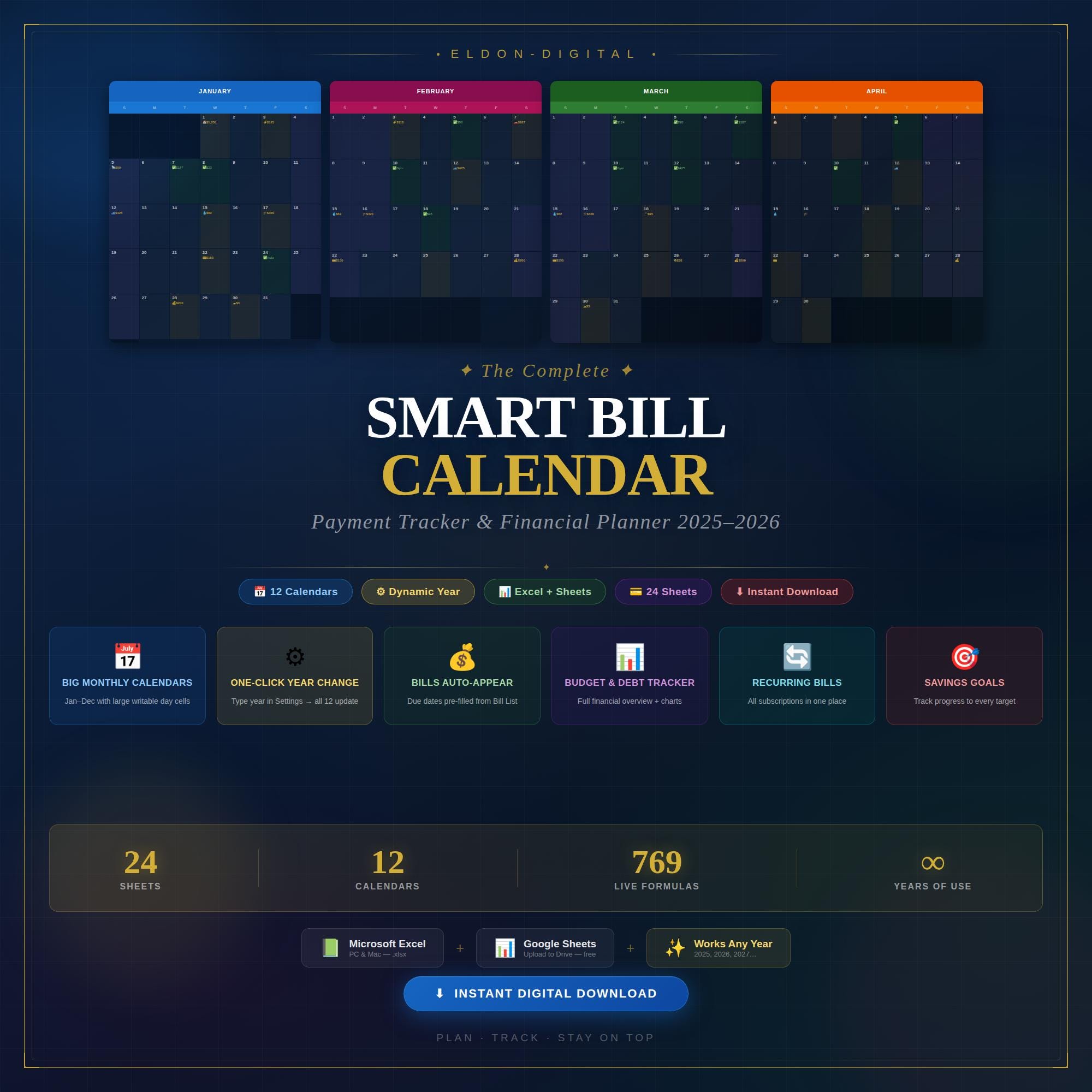
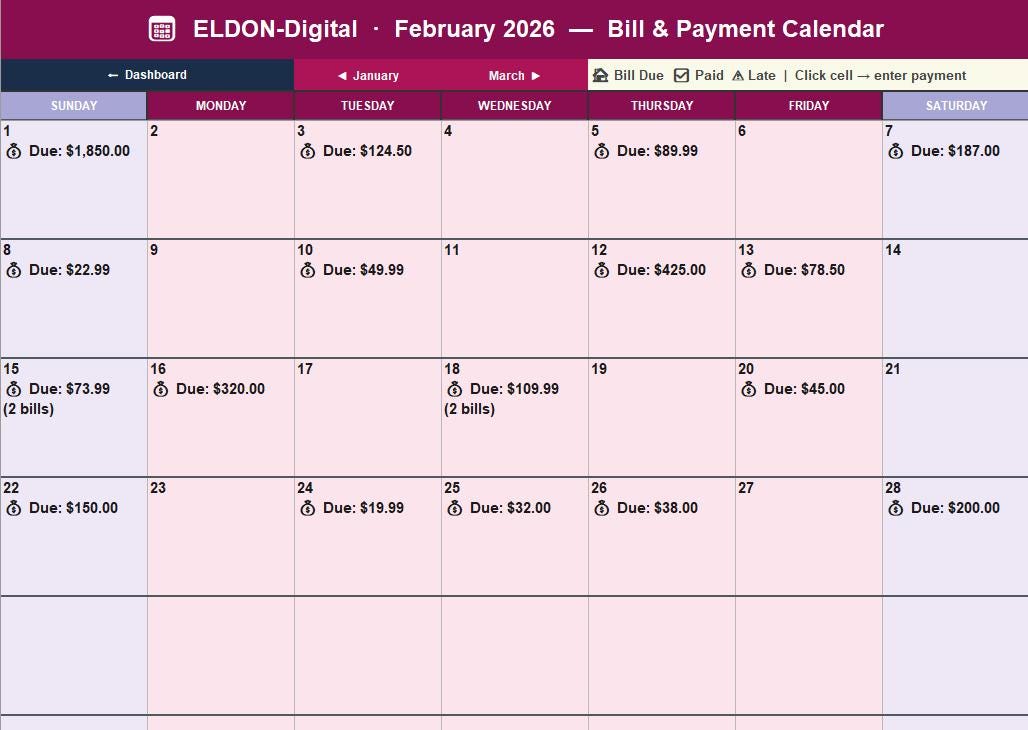
🗓️ THE STAR FEATURE — 12 BIG MONTHLY CALENDARS
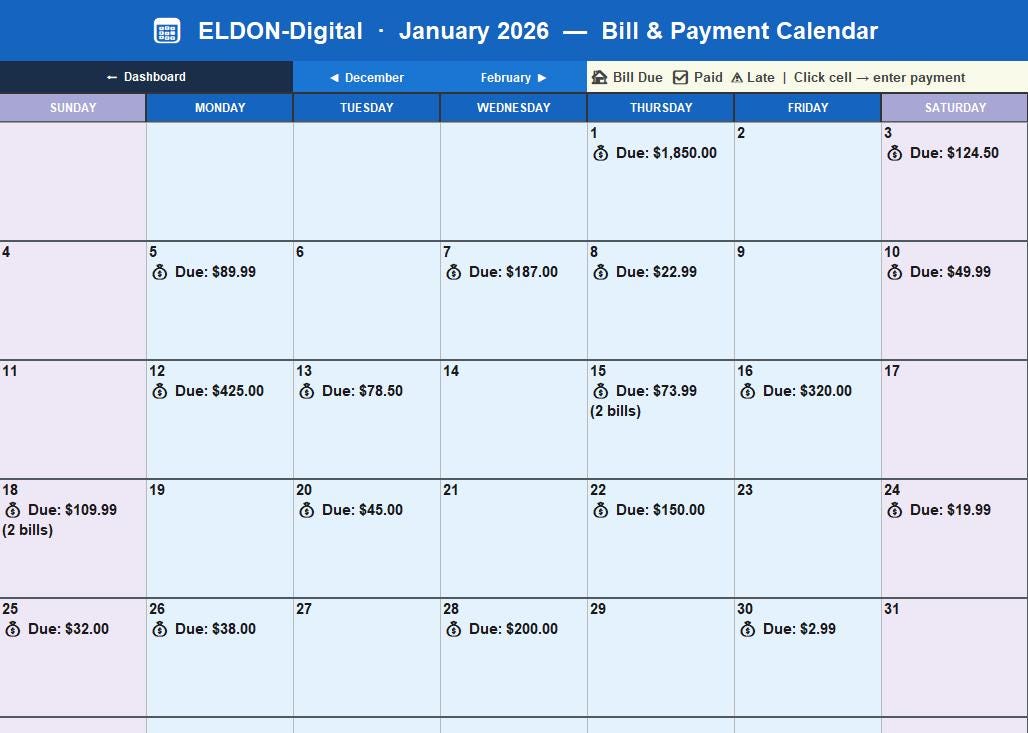
Each month gets its own full-size visual calendar with large, spacious day cells — big enough to read, write, and plan inside. Here's what makes these calendars extraordinary:
📌 Bills appear automatically on their due date — your recurring bills from the Bill List sheet are pre-loaded onto each calendar day, showing the bill name, emoji category icon, and dollar amount right inside the cell
📌 One-click year change — go to the Settings sheet, type a new year (2025, 2026, 2027... any year from 1900 to 2100), and all 12 monthly calendars instantly rebuild: correct weekday positions, correct days per month, correct leap years — fully automatic
📌 Click any day cell to type your own payment notes, confirmations, or reminders directly inside the calendar grid
📌 ◀ Prev Month / Next Month ▶ navigation buttons on every calendar for instant flipping between months
📌 6-week grid layout that handles every possible month configuration — no layout breaks, no overflows
📌 Color-coded by month — each of the 12 months has its own distinct premium color theme (January = Royal Blue, February = Crimson, March = Forest Green, and so on)
📌 Weekend cells are visually highlighted in a soft lavender tone so your calendar is instantly readable
📌 Live summary strip below each calendar showing: Total Bills Due, Total Paid, Unpaid Balance, Bills Count, Auto-Pay Total, and Net Remaining — all pulling live from your tracker sheets
________________________________________
📊 24 FULLY BUILT SHEETS INCLUDED
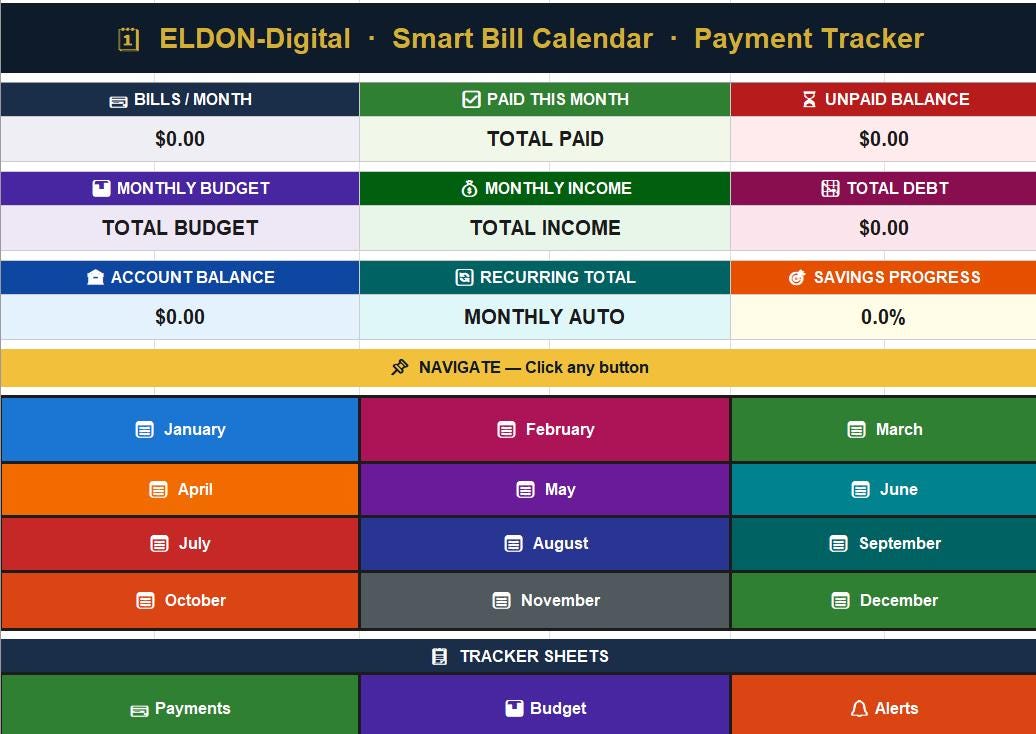
🏠 Dashboard — Central command center with 9 live KPI cards, 12 clickable month tiles, and 11 tracker sheet buttons — everything just one click away
📅 12 Monthly Calendars — January through December, each with dynamic year formulas, pre-filled bill dates, and large writable day cells
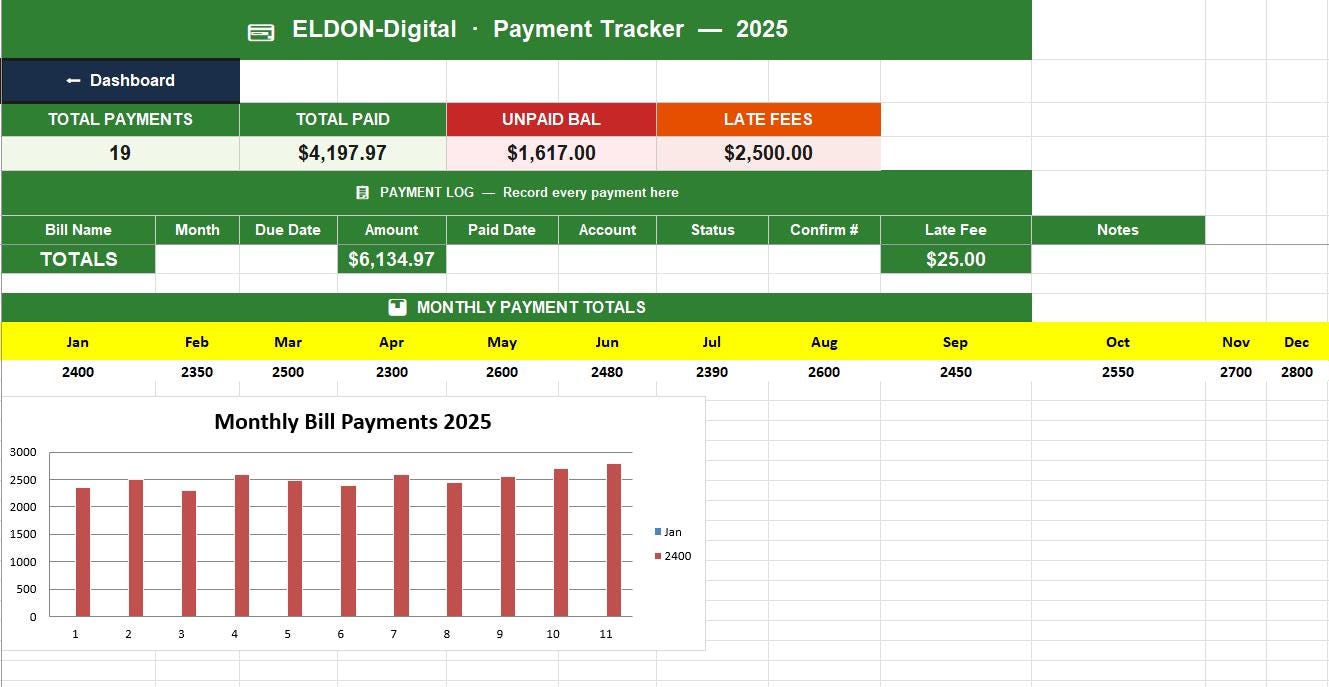
💳 Payment Tracker — Log every payment with date, confirmation number, account, status, and late fee. Monthly bar chart updates automatically
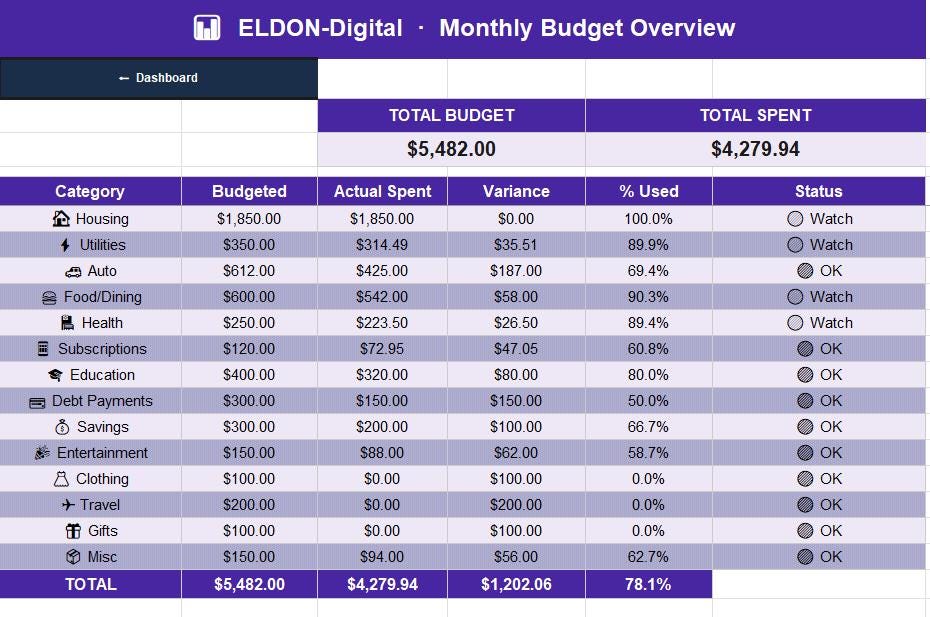
📊 Budget Overview — 14 spending categories with budgeted vs. actual comparison, variance calculation, and status flags (🟢 OK / 🟡 Watch / 🔴 Over)
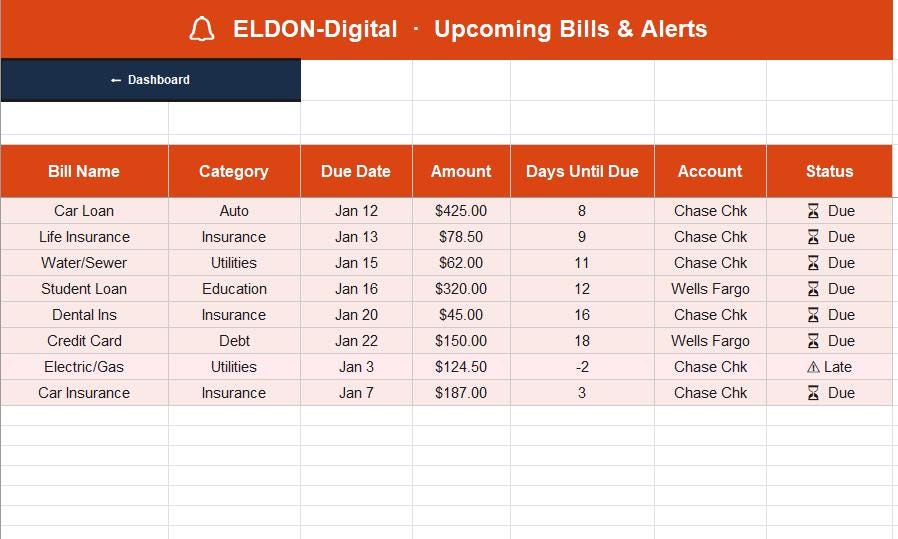
🔔 Upcoming Bills & Alerts — Prioritized list of bills needing immediate attention, overdue flagging in red, and days-until-due countdown
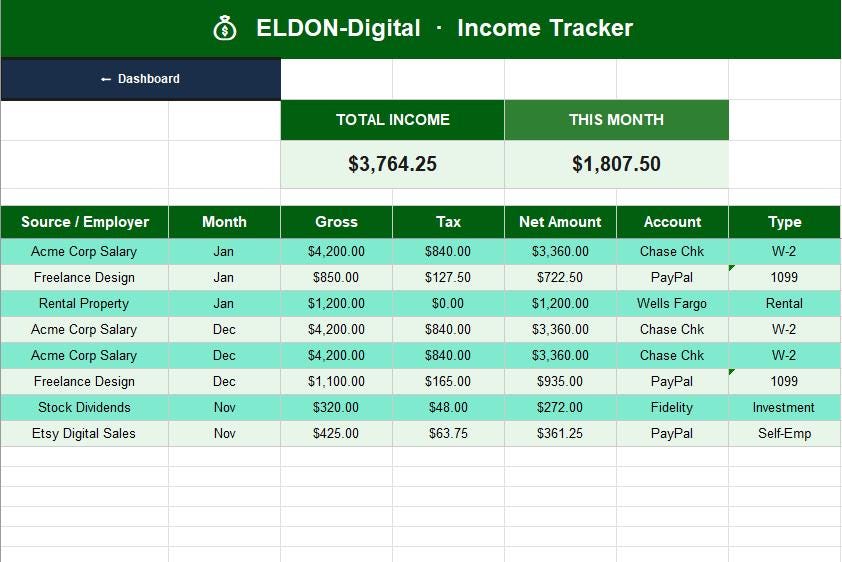
💰 Income Tracker — Log all income sources with gross, tax withheld, and net calculations. Monthly trend line chart included
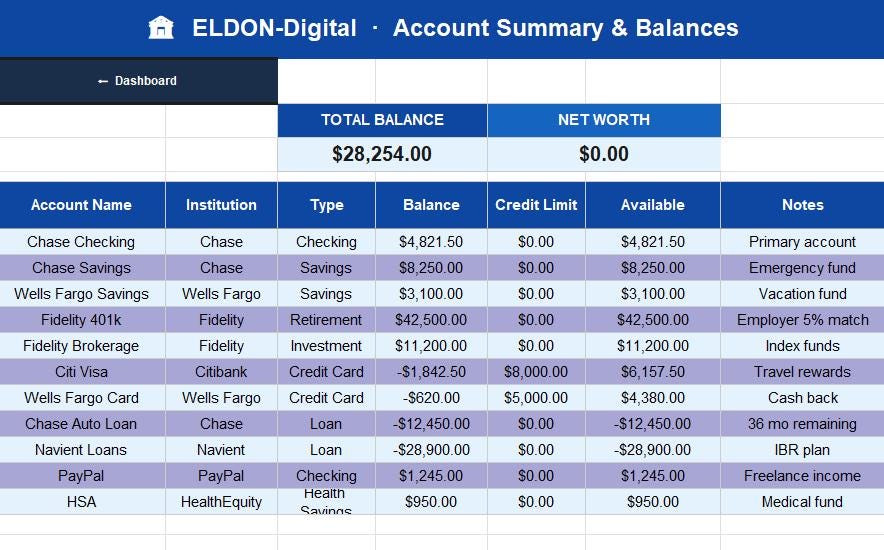
🏦 Account Summary — Track all checking, savings, investment, credit card, and loan accounts in one place with live net worth calculation
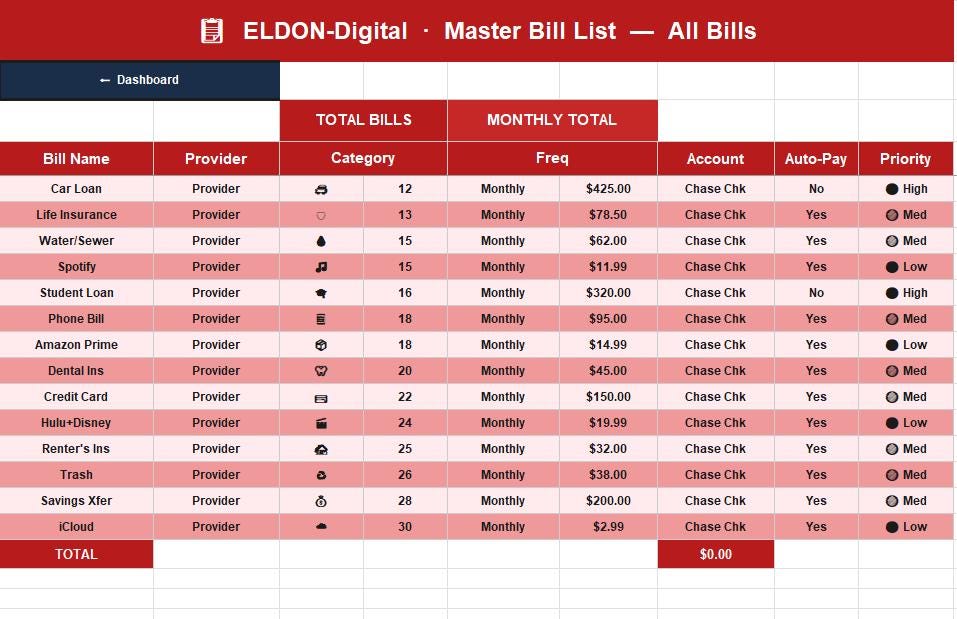
📋 Bill Master List — The source of truth for all your bills — name, provider, category, due day, frequency, amount, account, auto-pay status, and priority. Feeds all 12 monthly calendars automatically
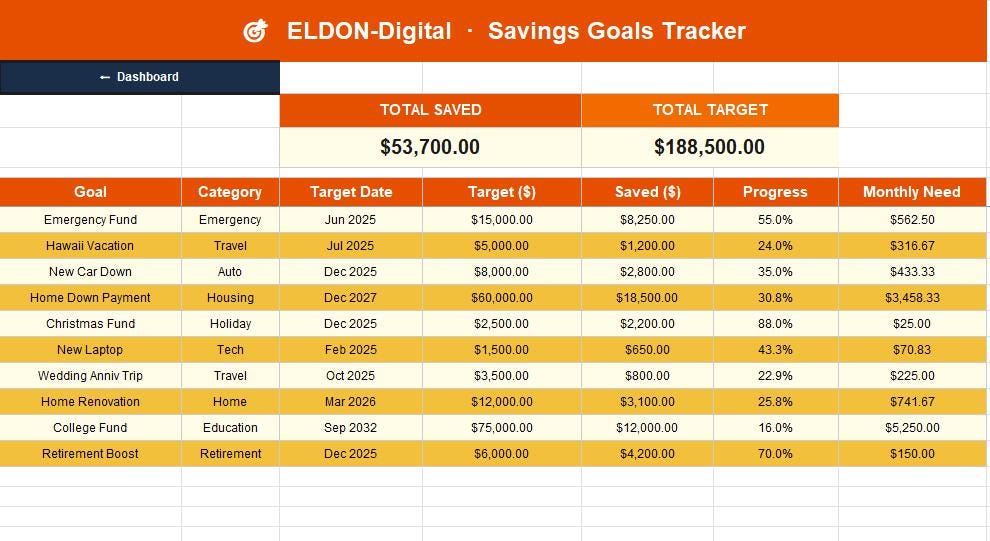
🎯 Savings Goals — Track up to 10+ savings goals with target, saved amount, progress %, and monthly contribution needed
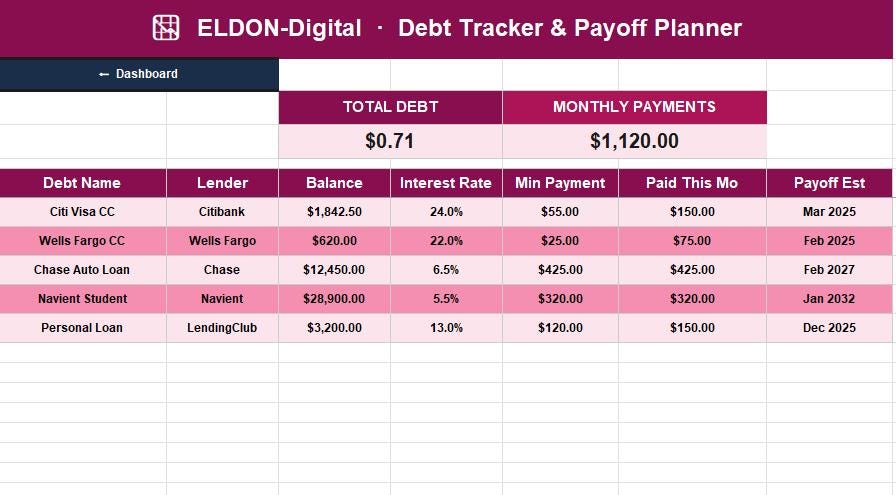
📉 Debt Tracker — Monitor every debt with interest rate, minimum payment, strategy (avalanche/snowball), and estimated payoff date
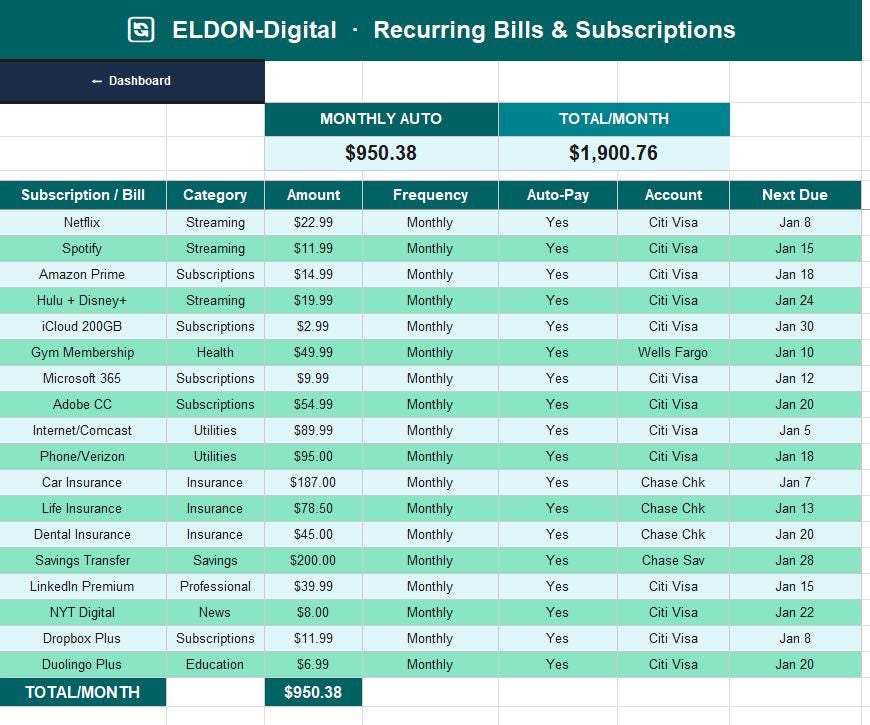
🔄 Recurring Bills — Master list of all subscriptions and auto-charges with annual cost calculation
📆 Annual Summary — Full 12-month grid showing bills paid, income, savings, late fees, bills count, and on-time percentage across the whole year
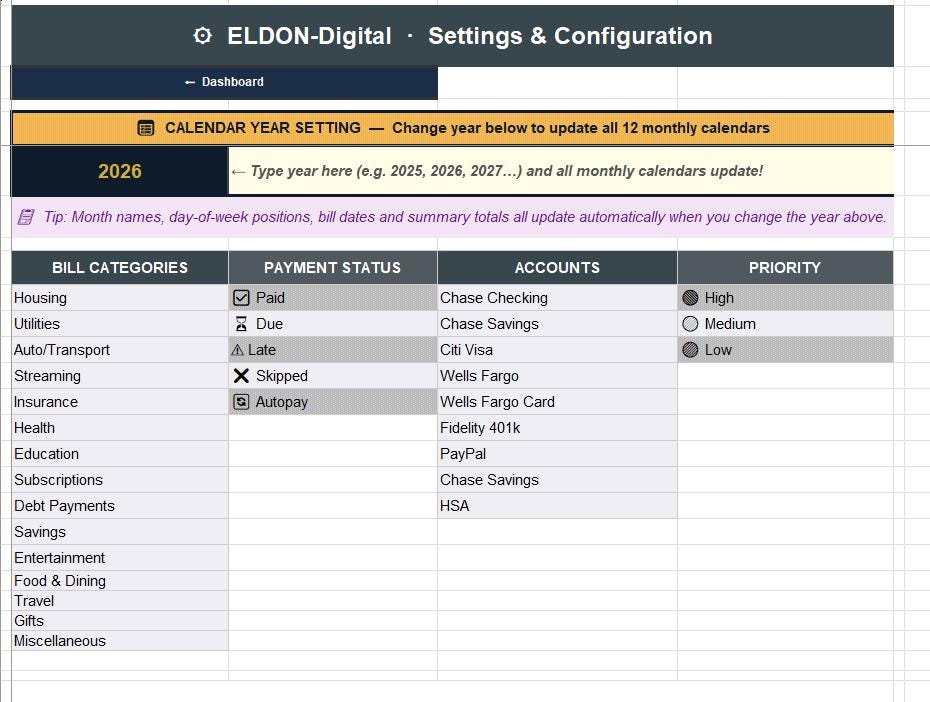
⚙️ Settings — Customize dropdown lists for categories, payment status, accounts, and priority levels. Contains the Year Input Cell that controls all 12 calendars
________________________________________
⚙️ HOW THE DYNAMIC YEAR WORKS
1️⃣ Open the ⚙ Settings sheet 2️⃣ Find the large gold "CALENDAR YEAR SETTING" box 3️⃣ Click cell B6 and type your desired year — e.g. 2026 4️⃣ Press Enter — that's it! ✅
All 12 monthly calendars instantly update:
• ✅ Title banners update (e.g. "January 2026")
• ✅ All 504 day cells recalculate to the correct weekday positions
• ✅ February automatically adjusts for leap years
• ✅ Days-in-month recalculates for every single month
• ✅ Bill due dates stay pinned to their correct calendar day
• ✅ Summary strips update with the new month context
This works because each calendar uses Excel's native WEEKDAY(), EOMONTH(), and DATE() functions — no macros, no VBA, no scripts required.
________________________________________
📥 HOW TO SET UP YOUR PLANNER — STEP BY STEP
Step 1 — Set Your Year Open ⚙️ Settings → type your year in the gold cell B6 → all calendars update instantly.
Step 2 — Add Your Bills Open 📋 Bill List → enter every bill: name, due day, amount, account, and category. These feed all 12 monthly calendars automatically.
Step 3 — Set Your Budget Open 📊 Budget → enter your monthly budget per spending category.
Step 4 — Log Payments Open 💳 Payment Tracker → log every payment as you make it. Use the status dropdown: ✅ Paid / ⏳ Due / ⚠ Late / ❌ Skipped.
Step 5 — Track Income Open 💰 Income → add your salary, freelance, rental, or investment income each month.
Step 6 — Monitor Your Dashboard Return to 🏠 Dashboard anytime to see your live KPIs: bills due, total paid, unpaid balance, income, debt, savings progress, and account balance — all in one view.
Step 7 — Click the Calendar Navigate to any monthly calendar, click a day cell, and type a note, payment confirmation, or amount directly into the cell.
________________________________________
⭐ WHY BUYERS LOVE ELDON-Digital PLANNERS
✅ Zero formulas to build — everything is pre-built and ready to use ✅ Works for any year — one setting, full rebuild, forever reusable ✅ No macros or VBA — pure Excel/Sheets formulas only, works on any device ✅ Beginner-friendly — color-coded, labeled, and fully guided ✅ Click-to-navigate — every sheet has a ⬅ Dashboard button and month-to-month arrows ✅ Mock data included — see exactly how it works before you enter your own ✅ Professionally designed — premium color themes, KPI cards, charts, and clean layouts ✅ Instant download — start using within minutes of purchase ✅ Buy once, use forever — reuse every year just by changing one number
________________________________________
💡 PERFECT FOR:
👨👩👧 Families managing household bills | 🏠 Homeowners and renters | 💼 Freelancers and self-employed | 📱 Subscription trackers | 💳 Debt payoff planners | 🏦 Budget-conscious households | 🎯 Savings goal chasers | 📆 Annual financial planners | 🔔 People who hate late fees
________________________________________
📦 WHAT YOU RECEIVE
• 1 × Microsoft Excel file (.xlsx) — fully working, zero macros needed
• 24 sheets total: 1 Dashboard + 12 Monthly Calendars + 11 Tracker Sheets
• 769 live formulas, all verified error-free
• Mock data pre-filled so you can see the system in action
• Full setup instructions on the Dashboard and each sheet
________________________________________
📌 COMPATIBILITY
• ✅ Microsoft Excel 2016, 2019, 2021, Microsoft 365
• ✅ Google Sheets (upload the .xlsx file directly to Google Drive)
• ✅ Windows, Mac, iPad, iPhone, Android
• ✅ No installation, no plugins, no account required
________________________________________
📌 PLEASE NOTE
This is a digital download only — no physical product will be shipped. Due to the instant-delivery nature of digital files, refunds cannot be offered once the file has been accessed. If you experience any issues opening or using the file, please message ELDON-Digital directly and we will resolve it promptly and personally. ❤️
________________________________________
🎄 From ELDON-Digital — We design premium spreadsheet tools that make everyday financial life simpler, clearer, and less stressful. If this planner helps you stay on top of your bills, we'd be so grateful for a ⭐⭐⭐⭐⭐ review — it makes an enormous difference to a small shop!