Bill Splitting Calculator Excel & Google Sheets | Group Expense Tracker (Digital Download)
$5.24 $6.99
📝 DESCRIPTION
________________________________________
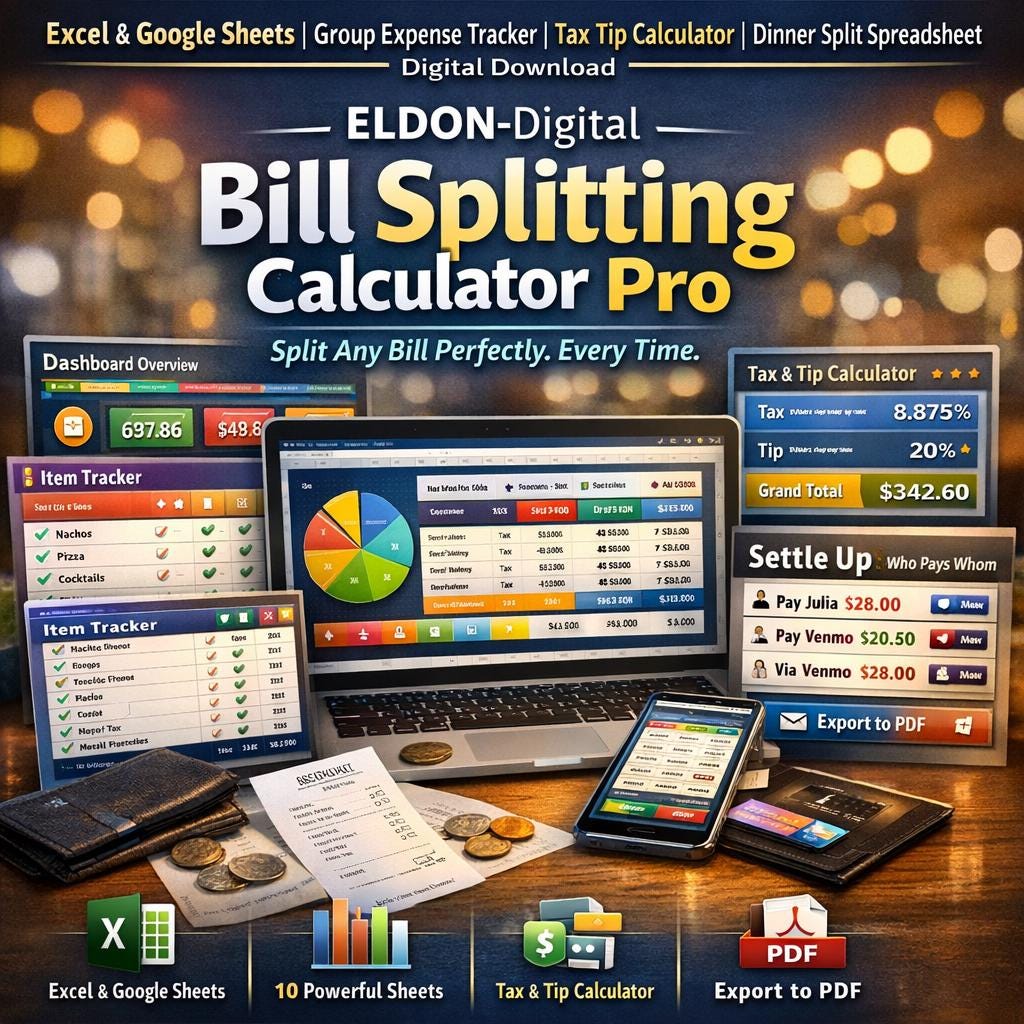
💸 ELDON-Digital Bill Splitting Calculator Pro -Split Any Bill Perfectly. Every Time. No More Awkward Math · No More Arguments · No More Chasing People for Money
________________________________________
😩 Ever been stuck at the end of a dinner trying to split a bill 6 ways while calculating tax and tip in your head? Those days are over. This professionally designed, fully automated Bill Splitting Calculator gives your group a complete, fair, and transparent breakdown of exactly who owes what -down to the last cent. Built by ELDON-Digital, this is not a basic calculator. It's a complete group expense management system. 🎉
________________________________________
📦 WHAT'S INCLUDED
🔹 1 Excel Workbook (.xlsx) -works in Microsoft Excel 2016, 2019, 2021, and 365 🔹 1 Google Sheets Version -upload to Google Drive and use instantly in any browser 🔹 10 fully formatted, color-coded sheets -each with its own unique color theme 🔹 Pre-filled with a complete mock dinner -6 people, 16 items, NYC tax rate, 20% tip 🔹 Instant digital download -start splitting bills within minutes of purchase!
________________________________________
🗂️ INSIDE YOUR BILL SPLITTER -10 POWERFUL SHEETS
________________________________________
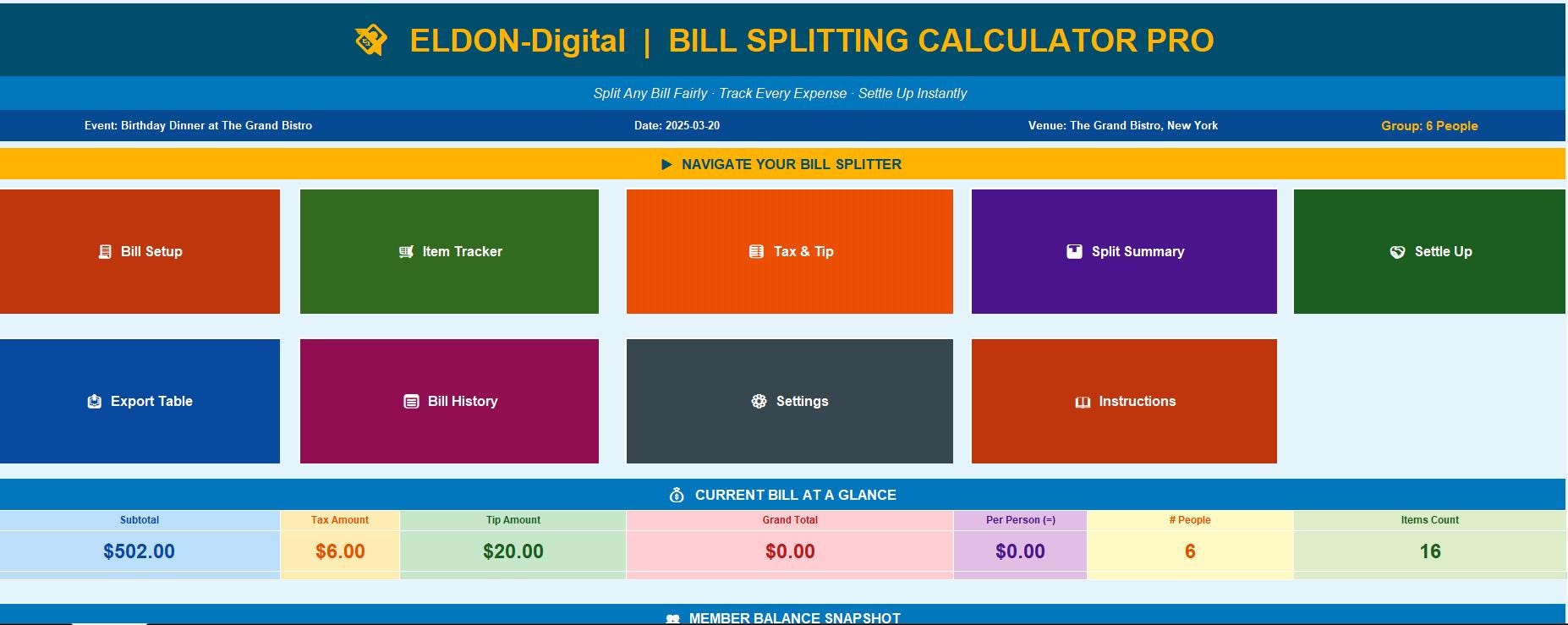
🏠 1. Dashboard -Your Command Center A stunning branded hub showing your entire bill at a glance. Features: ✅ 9 one-click navigation buttons to every sheet ✅ 8 LIVE stat cards -Grand Total, Tax Amount, Tip Amount, Per Person Share, # People, Items Count, Settled Status -all auto-calculated ✅ Member Balance Snapshot -see every person's balance in one row ✅ All stats update automatically the moment you change any data
________________________________________
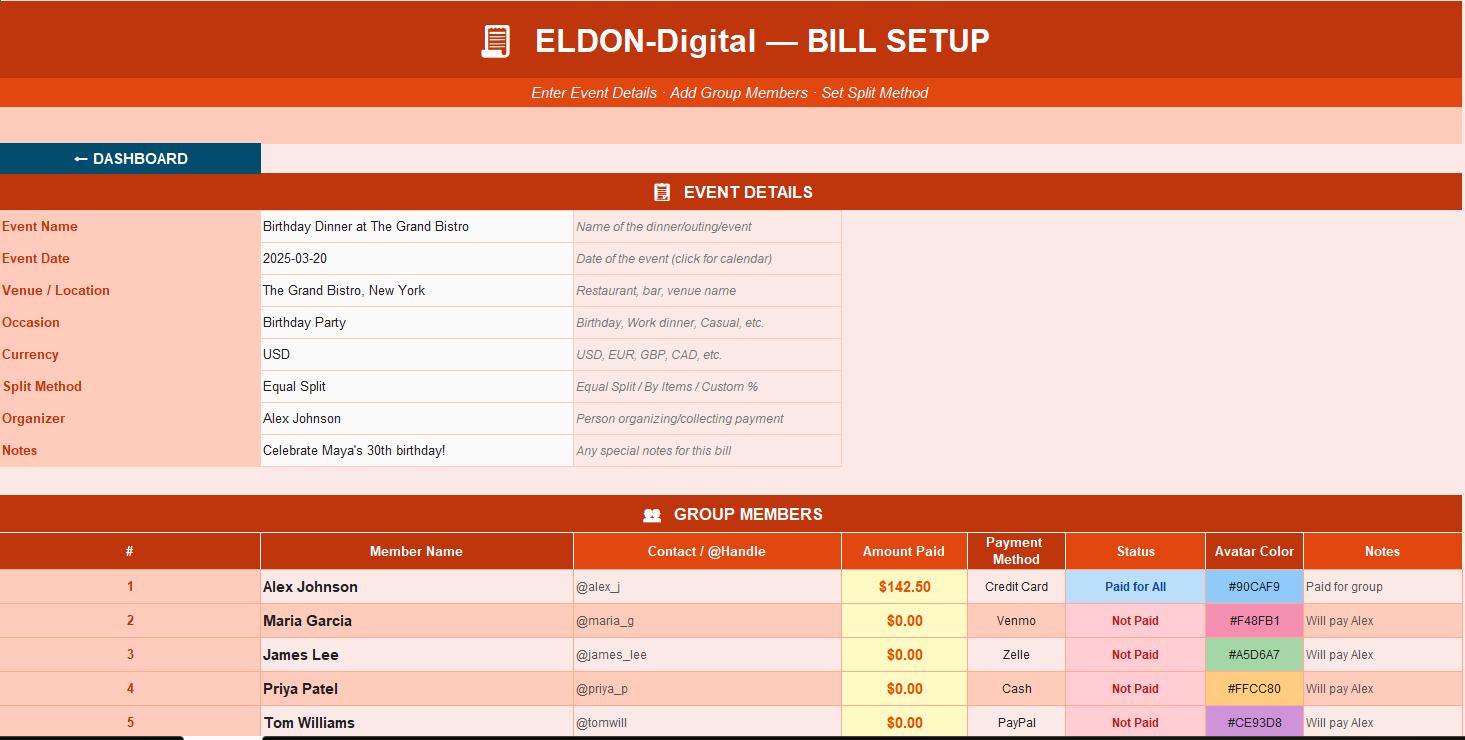
🧾 2. Bill Setup -Event & Group Configuration Set up your event and group members in minutes: ✅ Event details: Name, Date (calendar picker 📅), Venue, Occasion, Currency, Split Method ✅ Group members table -up to 20 people with name, contact handle, amount paid, payment method, and status ✅ Status dropdown -Not Paid / Partially Paid / Paid in Full / Paid for All ✅ Payment method dropdown -Cash, Venmo, Zelle, PayPal, Credit Card, Apple Pay, and more ✅ Auto-calculated total paid vs. total owed comparison ✅ Supports ANY currency -USD, EUR, GBP, CAD, AUD, and more
________________________________________
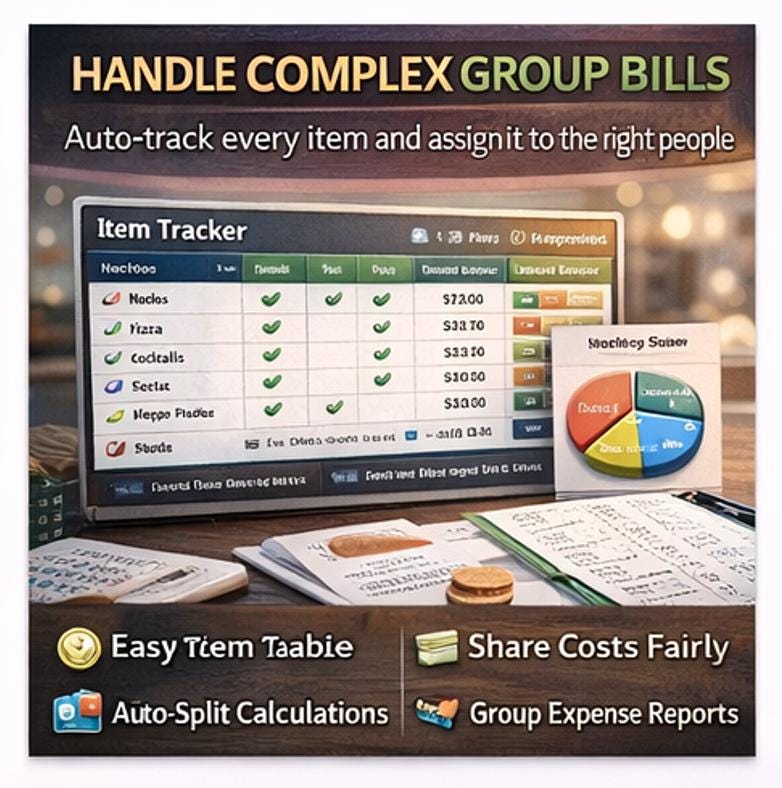
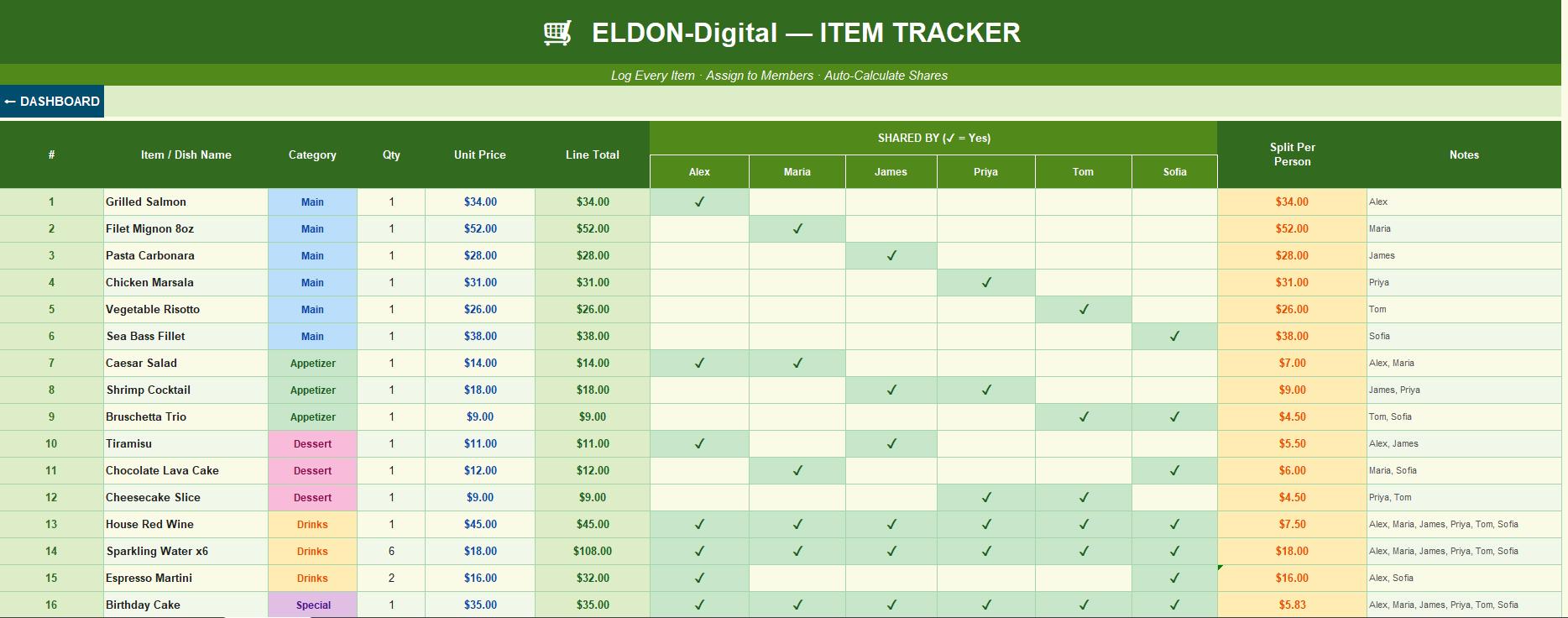
🛒 3. Item Tracker -Log Every Dish & Drink The most powerful feature -track every single item and assign it to the right people: ✅ Enter every item: Name, Category, Quantity, Unit Price -Line Total calculates automatically ✅ ✓ Checkmark system -mark exactly which group members shared each item ✅ Auto Split-Per-Person -divides each item's cost by the number of people who ordered it ✅ Category dropdown -Main, Appetizer, Dessert, Drinks, Special, Other ✅ Per-person item subtotal row -auto-calculated for every member, feeds directly into Split Summary ✅ Category Pie Chart 🥧 -see your spending breakdown by food/drink category at a glance ✅ Perfect for groups where everyone ordered different things!
________________________________________
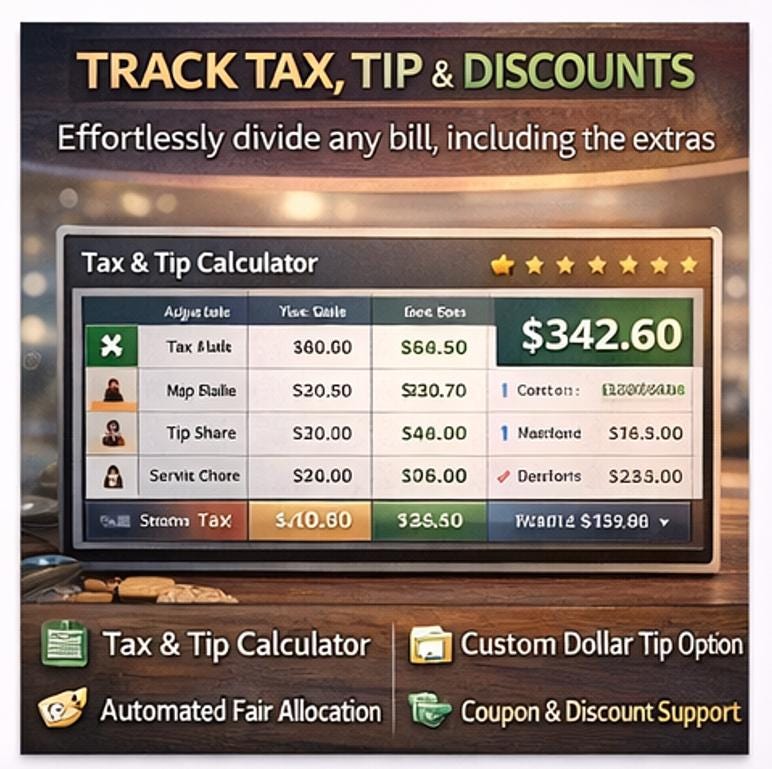
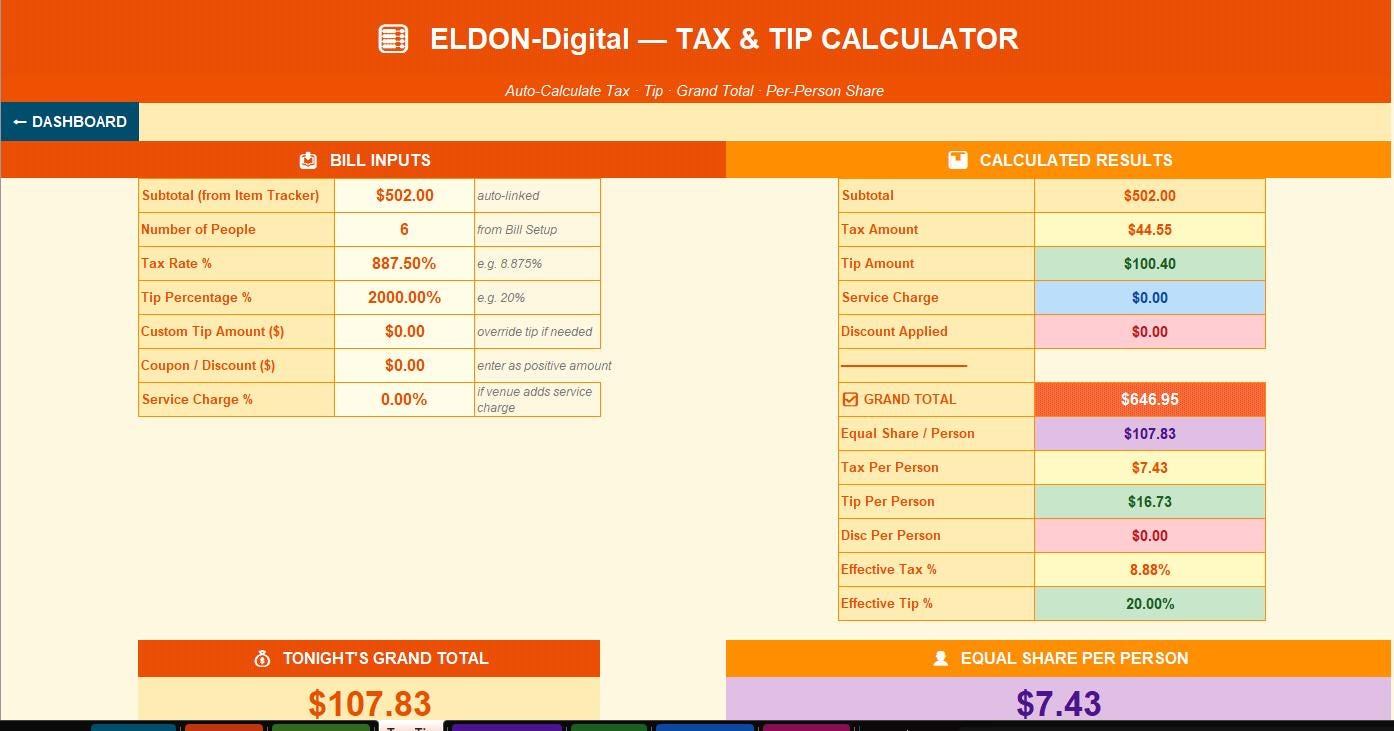
🧮 4. Tax & Tip Calculator -The Fairest Possible Split Automatically allocates tax and tip proportionally -not equally: ✅ Tax Rate -enter your local sales tax (pre-filled with NYC 8.875%) ✅ Tip Percentage -set any % (pre-filled at 20%) ✅ Custom Tip Dollar Amount -override the % with a specific dollar tip ✅ Service Charge -handles mandatory service charges for large groups ✅ Coupon / Discount -enter any discount and it's subtracted and allocated fairly ✅ Proportional allocation -each person pays tax and tip based on THEIR item total, not equal shares ✅ Grand Total callout box and Equal Share Per Person displayed in large, clear format 💰 ✅ Full per-person breakdown table -Item Sub + Tax Share + Tip Share + Grand Share per person
________________________________________
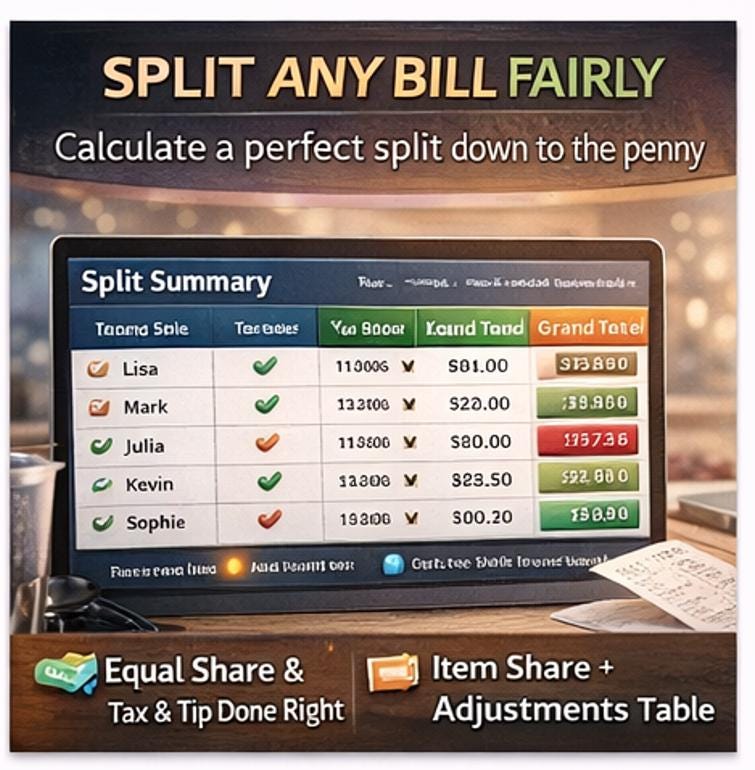
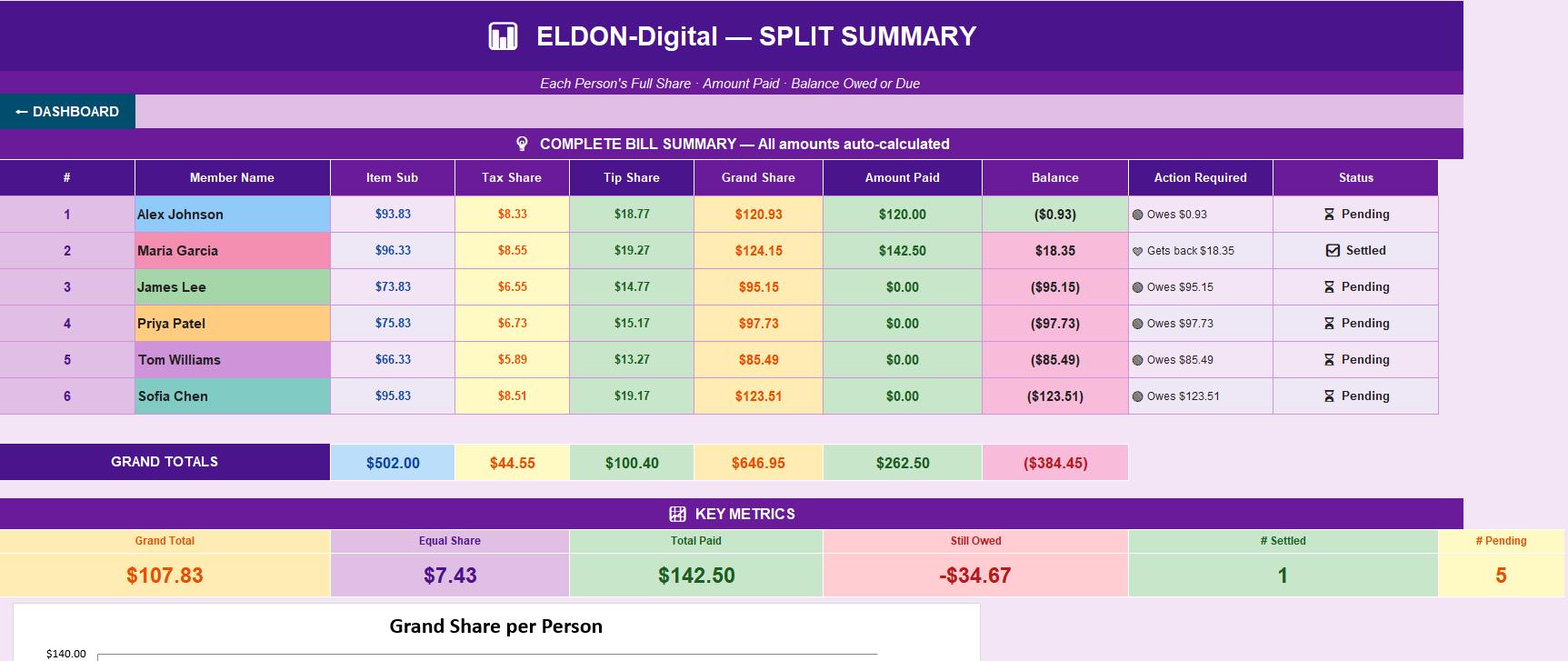
📊 5. Split Summary -The Complete Picture Every person's final bill in one clean table: ✅ Item Subtotal · Tax Share · Tip Share · Grand Total Owed · Amount Already Paid · Final Balance ✅ Auto Balance column -positive = they overpaid and get money back · negative = they owe ✅ Action Required column -plain English: "🔴 Owes $32.45" or "💚 Gets back $12.00" ✅ Status column -✅ Settled or ⏳ Pending -auto-updated ✅ 6 KPI summary cards -Grand Total, Equal Share, Total Paid, Still Owed, # Settled, # Pending ✅ Bar chart showing Grand Share per person side-by-side 📊
________________________________________
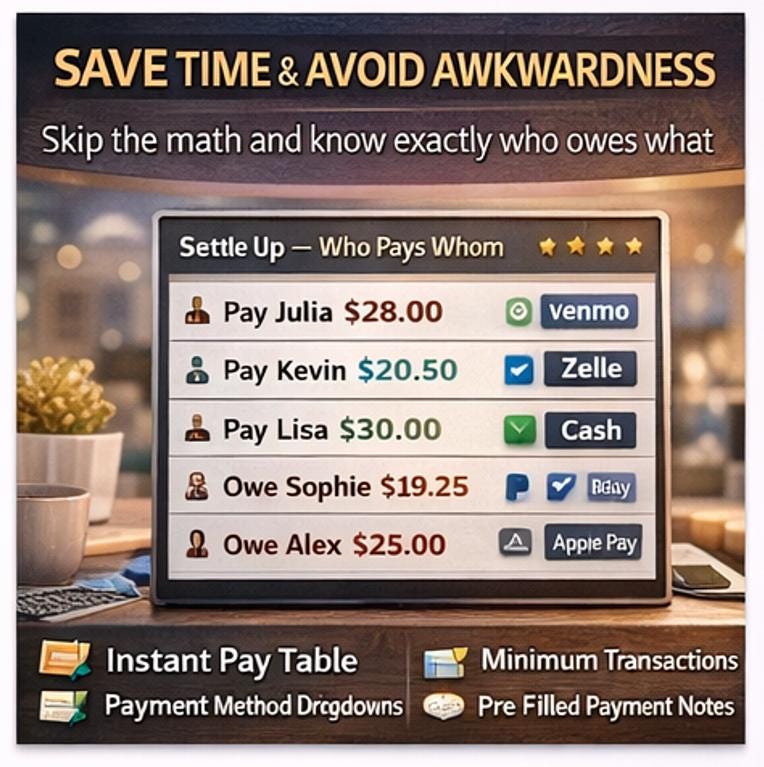
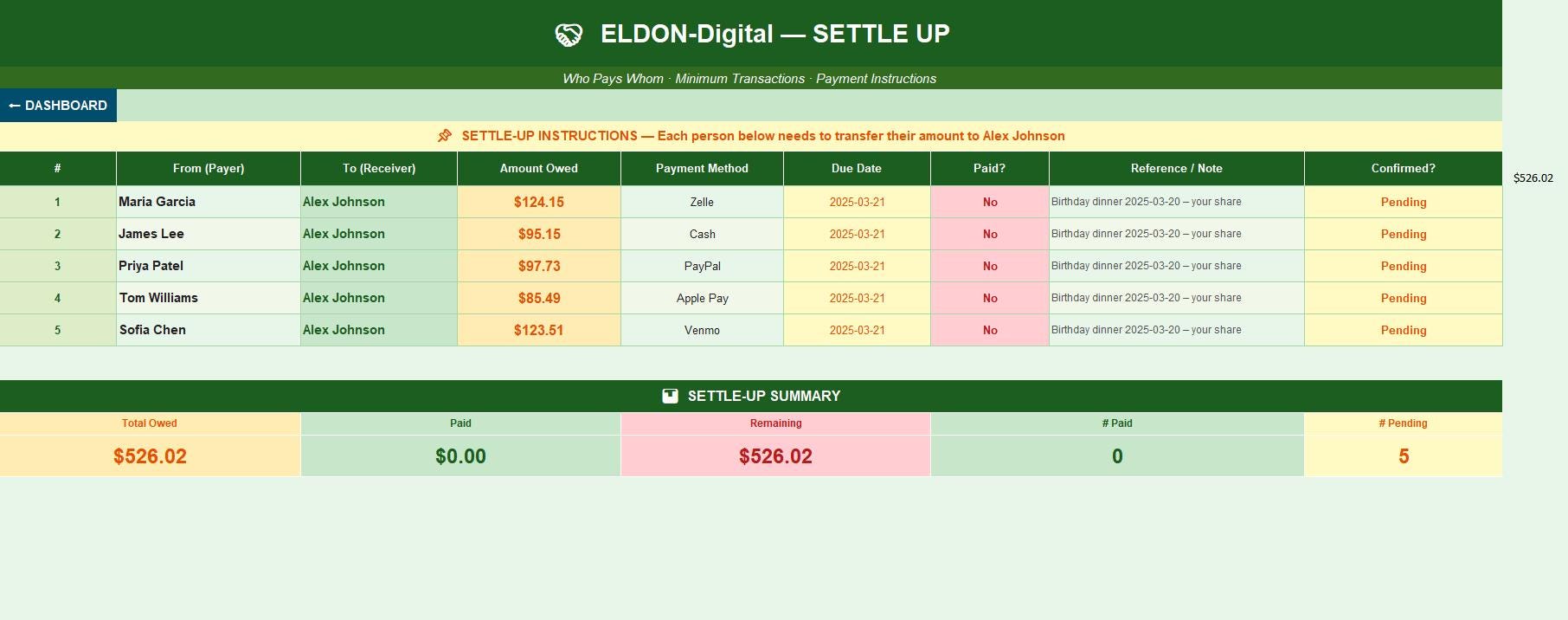
🤝 6. Settle Up -Who Pays Whom The minimum-transaction payment instruction sheet: ✅ Auto-generates exactly who needs to pay whom and how much ✅ Payment method dropdown per person -Venmo, Zelle, PayPal, Cash, Apple Pay ✅ Due Date with calendar picker for payment deadline ✅ Paid? dropdown -mark Yes/No/Pending as payments come in ✅ Confirmed? column -Confirmed / Pending / Disputed ✅ Pre-filled reference notes with the payment message to send ✅ Summary section: Total Owed · Paid So Far · Still Remaining · # Paid · # Pending
________________________________________
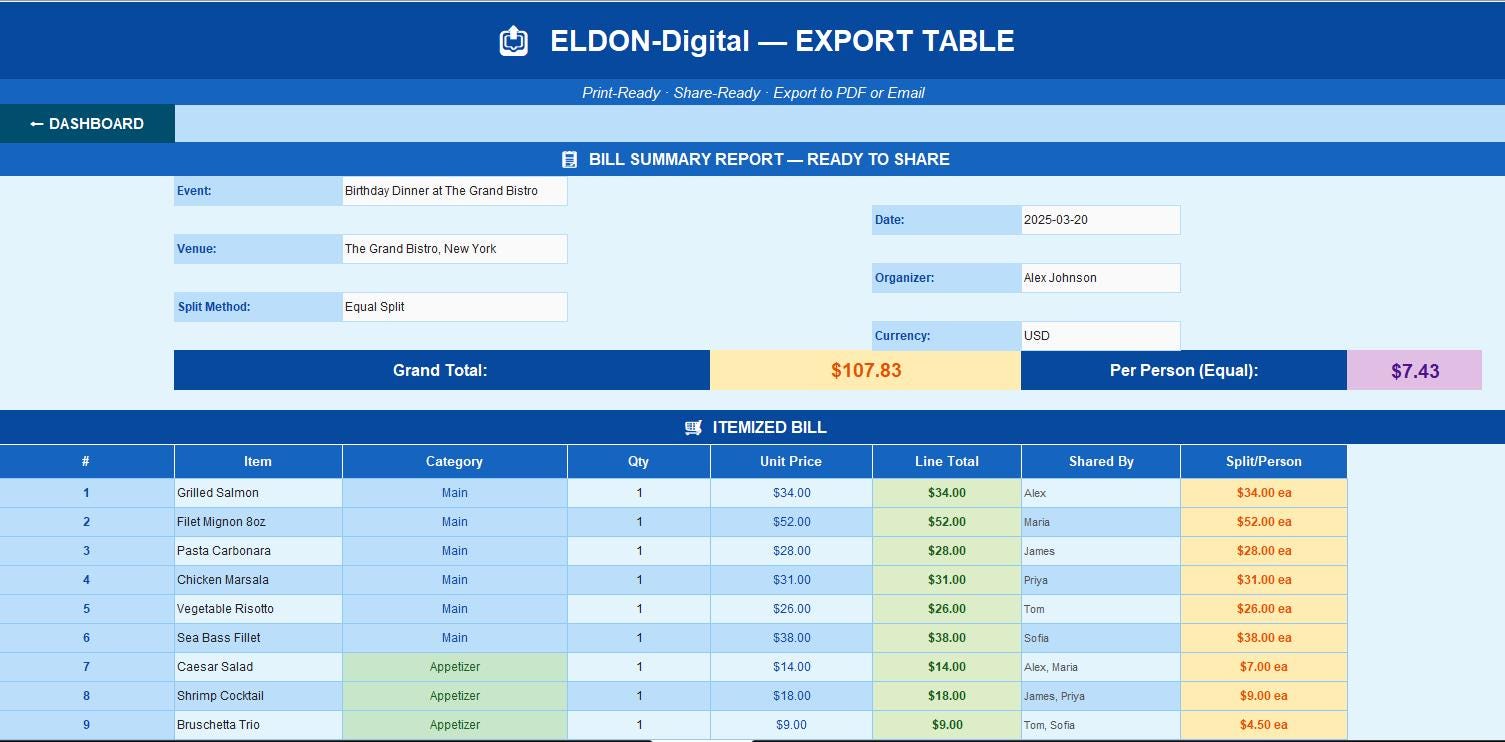
📤 7. Export Table -Share With Your Group A clean, professional, print-ready summary of the full bill: ✅ Event header with all details auto-pulled from Bill Setup ✅ Complete itemized bill with categories, quantities, and prices ✅ Full per-person summary -item sub, tax, tip, grand total, paid, balance, action ✅ Export to PDF -use File → Export for a shareable PDF to send to the whole group ✅ Screenshot and text to your group chat -everyone sees their exact amount instantly ✅ Designed to print cleanly on US Letter and A4 paper in landscape orientation 🖨️
________________________________________
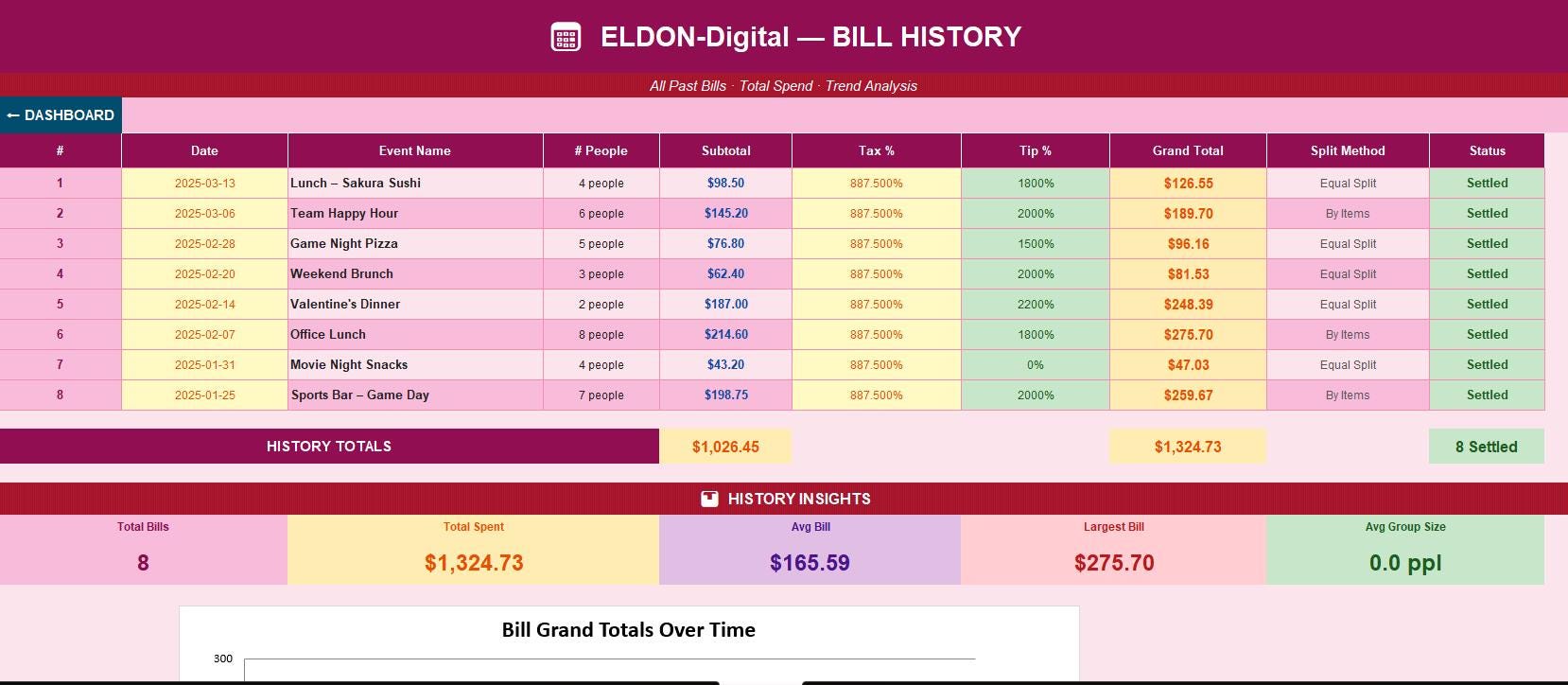
📅 8. Bill History -Track Every Outing Keep a permanent record of every bill ever split: ✅ 8 past bills pre-filled as mock data -see your spending history at a glance ✅ Date, Event Name, Group Size, Subtotal, Tax %, Tip %, Grand Total, Split Method, Status ✅ History KPI cards -Total Bills, Total Spent, Average Bill, Largest Bill, Avg Group Size ✅ Bar chart of grand totals over time 📈 ✅ Perfect for tracking group spending trends, frequent dining partners, and venue costs
________________________________________
⚙️ 9. Settings -Make It Yours Personalize the system completely: ✅ General Settings -organizer name, default currency, date format, default tax %, default tip %, max group size ✅ Payment Settings -primary payment app, payment handle, payment deadline, reminder message ✅ Display & Appearance -category colors, avatars, decimal places, font, print orientation ✅ Notification Preferences -email alerts, unpaid reminders, settlement confirmations
________________________________________
📖 10. Instructions & User Guide -Never Get Stuck A comprehensive guide covering every single feature: ✅ 8 detailed sections with 50+ step-by-step explanations ✅ Quick Start guide -splitting your first bill in under 5 minutes ✅ Deep-dive walkthroughs for every sheet and every column ✅ Pro tips: shared bottles of wine, unequal splits, large groups of 8+, Google Sheets upload ✅ Best practices: how to photograph the bill, how to handle disputes, how to export and share
________________________________________
🌈 DESIGN HIGHLIGHTS
🎨 10 unique color themes -every sheet has a completely different palette -no two sheets look alike 🔤 Professional Arial font throughout -clean, business-ready, and easy to read 🧭 Dashboard button on every single sheet -one click always brings you home 📅 Calendar date picker on ALL date fields across ALL sheets -no manual date typing ever 📊 4 embedded charts -pie chart, bar charts, and trend charts -all auto-linked to live data 💡 20 pre-filled mock data items -see exactly how the finished product looks 🔗 Cascading formula system -change one item price and all 10 sheets update instantly 🔒 257 formulas -zero errors -every formula tested, audited, and verified
________________________________________
🍽️ PERFECT FOR
🎂 Birthday dinners and celebration meals ✈️ Travel groups splitting hotel and restaurant bills 🏢 Office lunches and team outings 🎉 Bachelorette and bachelor party expenses 🏠 Roommates splitting shared household bills 🍻 Bar tabs and happy hours with friends 🌍 International groups splitting in any currency 💼 Any event where money needs to be split fairly and transparently
________________________________________
⚡ HOW TO GET STARTED
1️⃣ Download your .xlsx file instantly after purchase 2️⃣ Open in Microsoft Excel or upload to Google Drive → Open With → Google Sheets 3️⃣ Go to 🧾 Bill Setup -enter your event name and add your group members 4️⃣ Open 🛒 Item Tracker -log every item and check who ordered what 5️⃣ Check 🧮 Tax & Tip -verify your tax rate and tip percentage 6️⃣ Share 📤 Export Table -send the PDF summary to your whole group instantly!
________________________________________
📁 FILE DETAILS
📌 Format: .xlsx -fully compatible with Microsoft Excel and Google Sheets 📌 Compatibility: Excel 2016 · 2019 · 2021 · Microsoft 365 · Google Sheets 📌 Delivery: Instant digital download -no physical item shipped 📌 Editable: 100% -add members, change currency, customize categories freely 📌 Sheets: 10 fully formatted sheets + 1 hidden chart data sheet 📌 Print Ready: Landscape, US Letter & A4, branded headers and footers on every page
________________________________________
❓ QUESTIONS OR ISSUES?
💬 Message ELDON-Digital on Etsy anytime -we respond within a few hours and are committed to making sure you love your purchase!
⭐ Loving your Bill Splitter? Please leave a review -it means everything to small digital creators and helps other groups find this tool!
________________________________________
© 2026 ELDON-Digital | All Rights Reserved | For Personal & Small Business Use This digital product may not be redistributed, resold, or shared without written permission.