Password Manager Excel Google Sheets | Credential Organizer Login Tracker (Digital Download)
$5.24 $6.99
📝 DESCRIPTION
________________________________________
🔐 TAKE CONTROL OF YOUR DIGITAL SECURITY TODAY -ELDON-Digital Protects What Matters ✨ The Most Complete Password & Credential Manager for Excel & Google Sheets
________________________________________
😰 Be honest -how many of these describe you? You reuse the same 3 passwords across dozens of sites. You have no idea which accounts have two-factor authentication enabled. You have not changed your work VPN password in over a year. You would not know how to access your spouse's accounts in an emergency. Your passwords are stored in a Notes app or a plain text file with zero protection.
🛡️ You are not alone -and ELDON-Digital built the solution. The ELDON-Digital Password & Credential Manager is a professionally designed, beautifully color-coded spreadsheet system that brings order, security, and peace of mind to your entire digital life. No monthly subscription. No cloud you don't control. No app that could be hacked. Just your data, on your device, organized with military precision. 🔒
________________________________________
📦 WHAT YOU GET INSTANTLY AFTER PURCHASE:
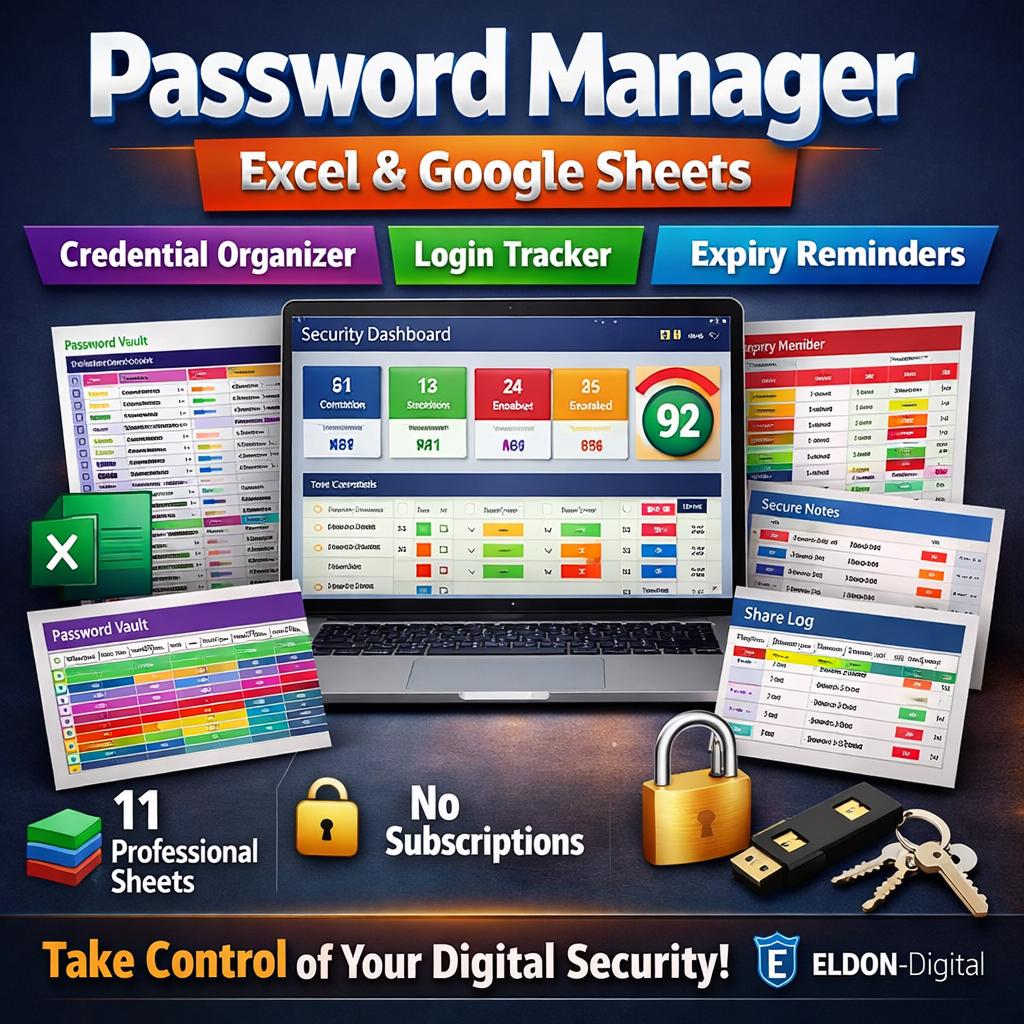
✅ 1 × Excel Workbook (.xlsx) -Fully formula-driven, works in Microsoft Excel 2016, 2019, 2021, and Microsoft 365 ✅ 11 Color-Coded Professional Sheets -Each with its own vibrant color theme, smart layouts, and security-focused organization ✅ Pre-Filled with 20 Realistic Mock Entries -See the full system working immediately across all 11 sheets ✅ 43 Live Formulas, Zero Errors -Professionally audited so every calculation works perfectly ✅ Instant Digital Download -Available immediately after purchase -no waiting, no shipping
________________________________________
⚠️ IMPORTANT SECURITY NOTE: This manager uses a password HINT system -you never write your actual passwords in plain text. Instead you store memorable clues only YOU would understand. We also provide full instructions on encrypting the Excel file with AES-level protection so your data is always secure. ✅
________________________________________
📋 YOUR 11 POWERFUL SECURITY SHEETS:
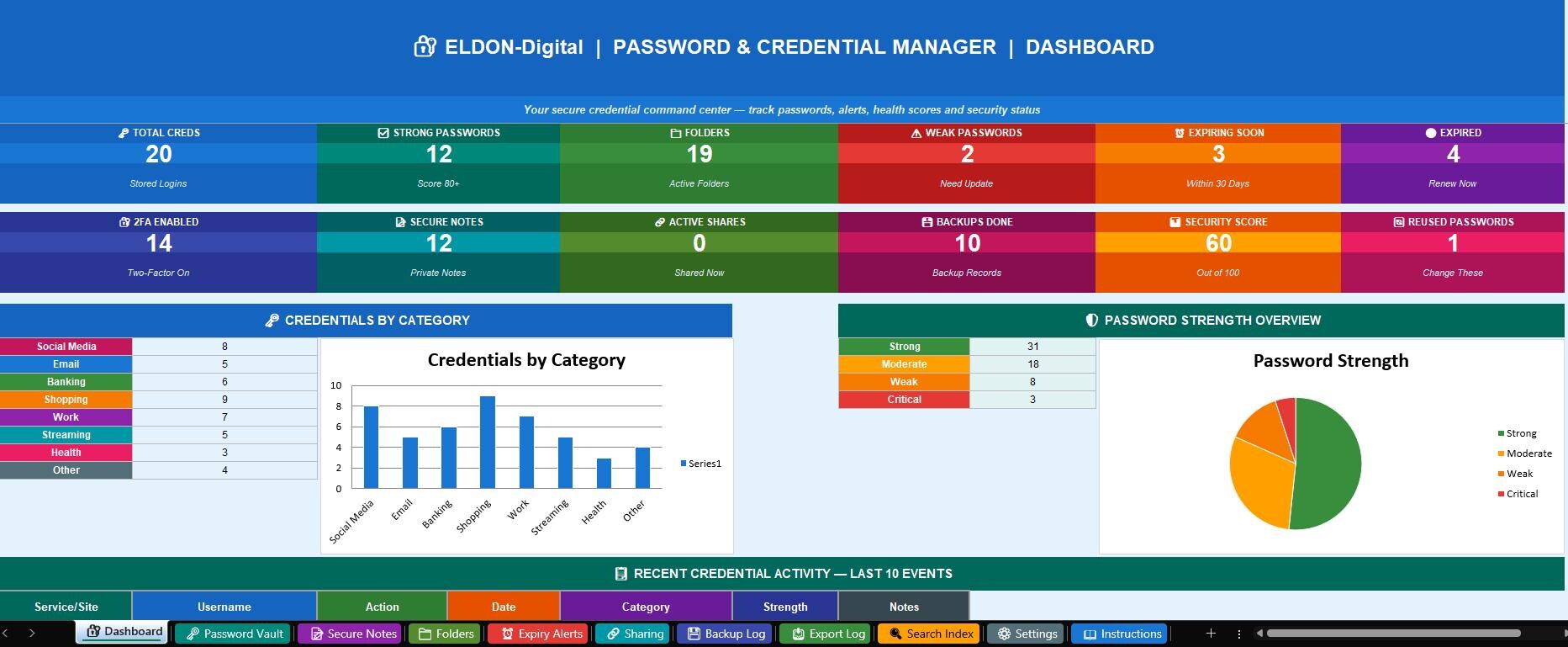
🔐 1. Security Dashboard -Your digital security command center! 12 live KPI cards automatically display Total Credentials, Strong Passwords count, Active Folders, Weak Passwords needing updates, Passwords Expiring Soon, Expired credentials, 2FA Enabled count, Secure Notes stored, Active Shares, Backup Records, an overall Security Score (out of 100), and Reused Password count. Features a Credentials by Category bar chart, a Password Strength pie chart (Strong/Moderate/Weak/Critical), a 10-row Recent Activity log, and a 5-row Security Alerts table with color-coded priority levels 📊
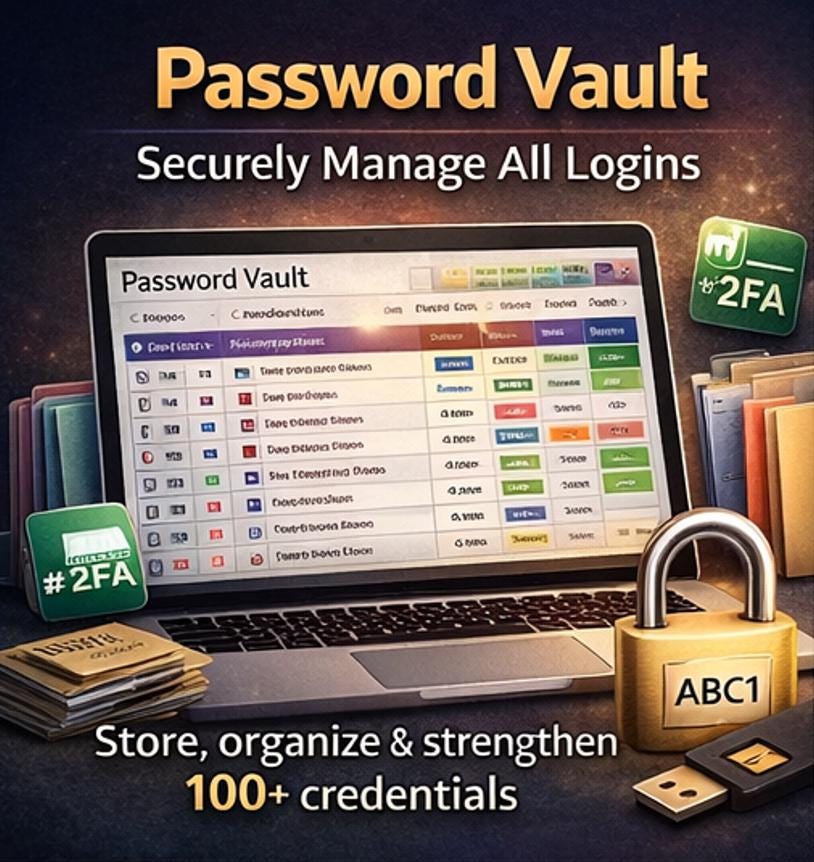
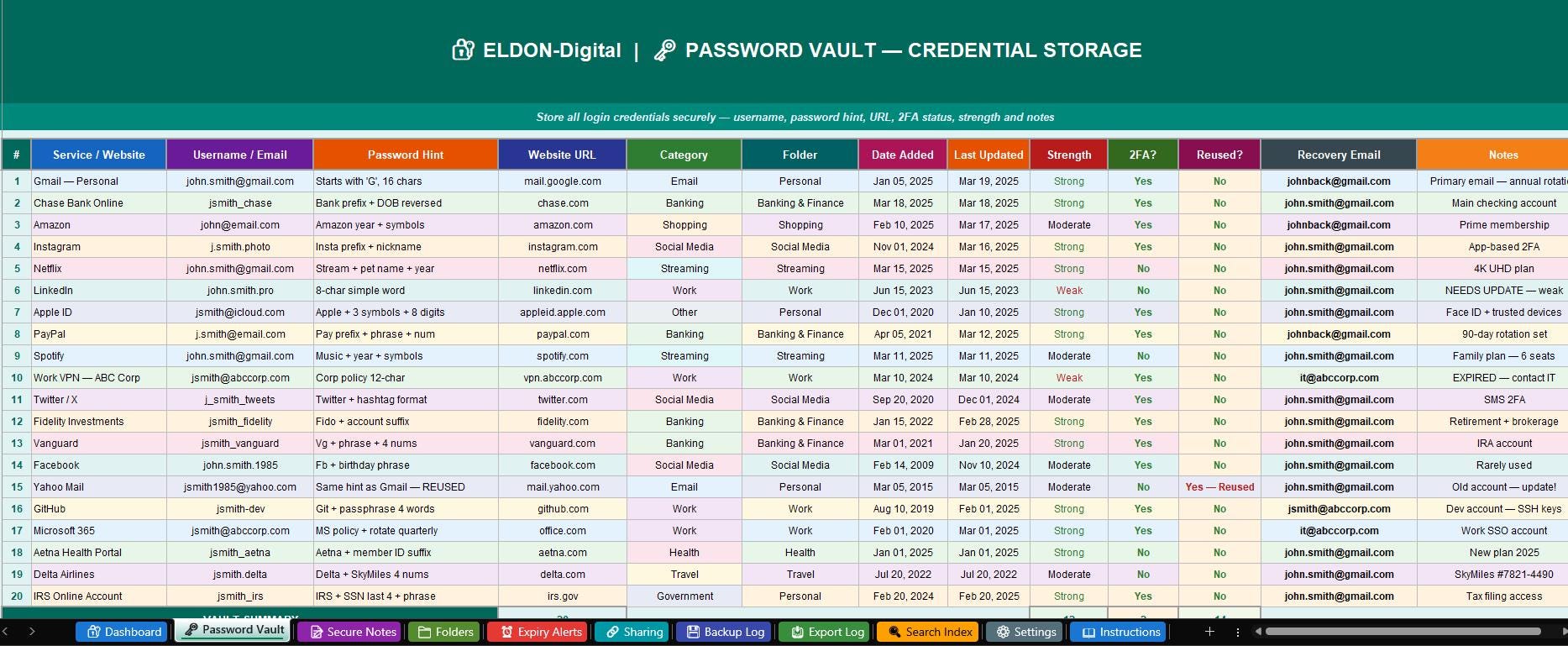
🗝️ 2. Password Vault -Credential Storage -The heart of the system. Store 100+ credentials with: service name, username/email, PASSWORD HINT (never the actual password), website URL, category (11 options), folder assignment, date added, last updated, password strength rating, 2FA status (App-Based/SMS/Hardware Key), reused flag, recovery email, and notes. Rows automatically color-code by category -pink for Social Media, navy for Email, green for Banking, purple for Work, and more. Strength and 2FA columns flash red for weak entries and green for secure ones. Summary row auto-calculates total entries, strong count, weak count, and 2FA-enabled count 💼
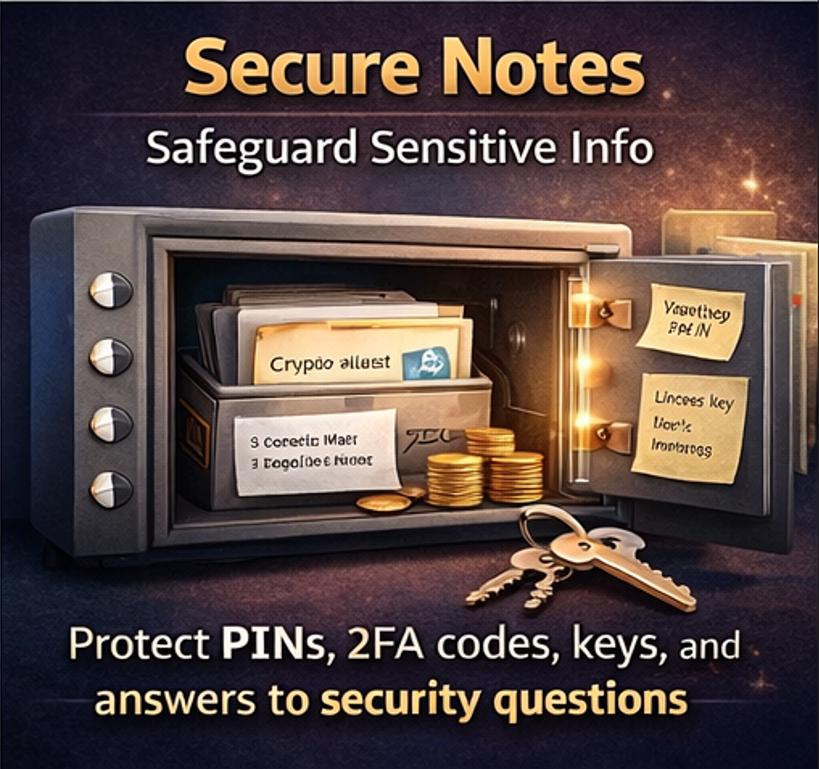
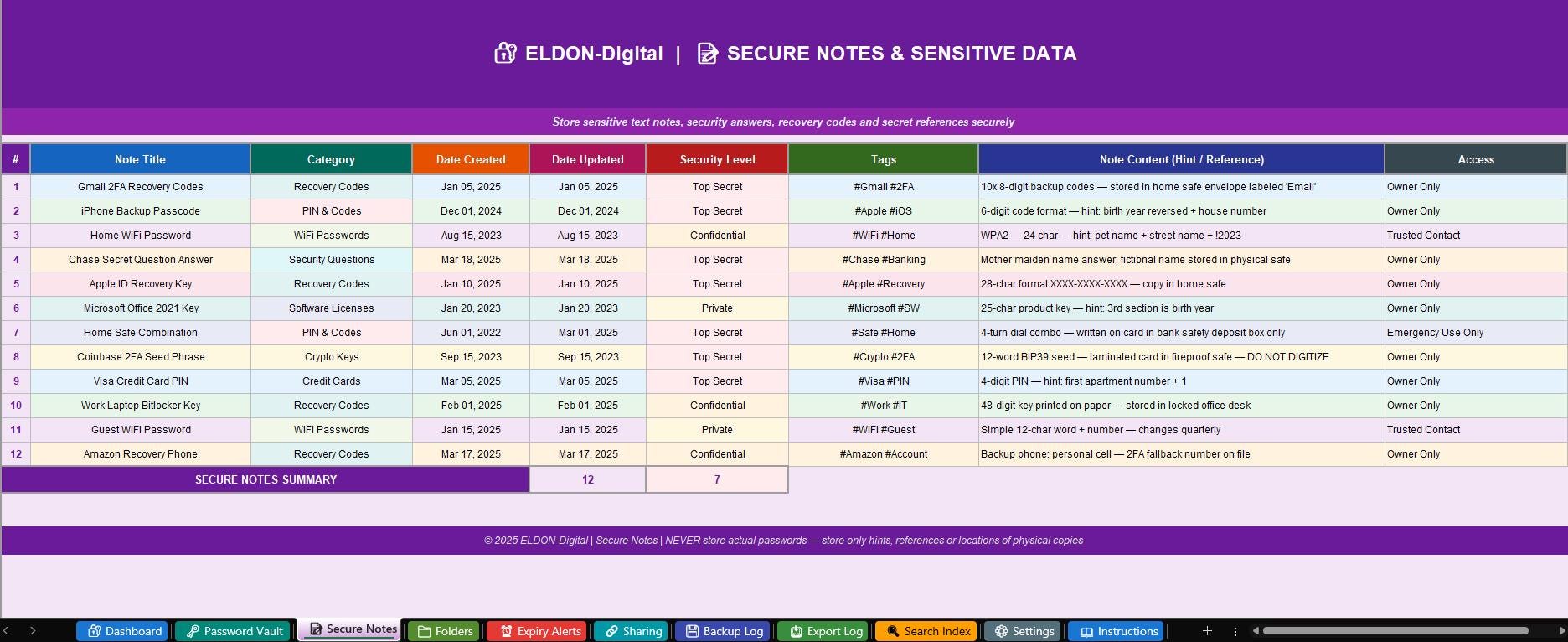
📝 3. Secure Notes & Sensitive Data -A private vault for sensitive text information you need to reference but never say out loud. Store: 2FA recovery codes (locations only!), security question answers, device PINs, WiFi passwords, safe combinations, software license keys, crypto wallet references, and credit card PINs. Each note has a security classification (Top Secret/Confidential/Private), category, access level (Owner Only/Trusted Contact/Emergency Use), and tags. The security level column color-codes instantly -red for Top Secret, orange for Confidential 🛡️
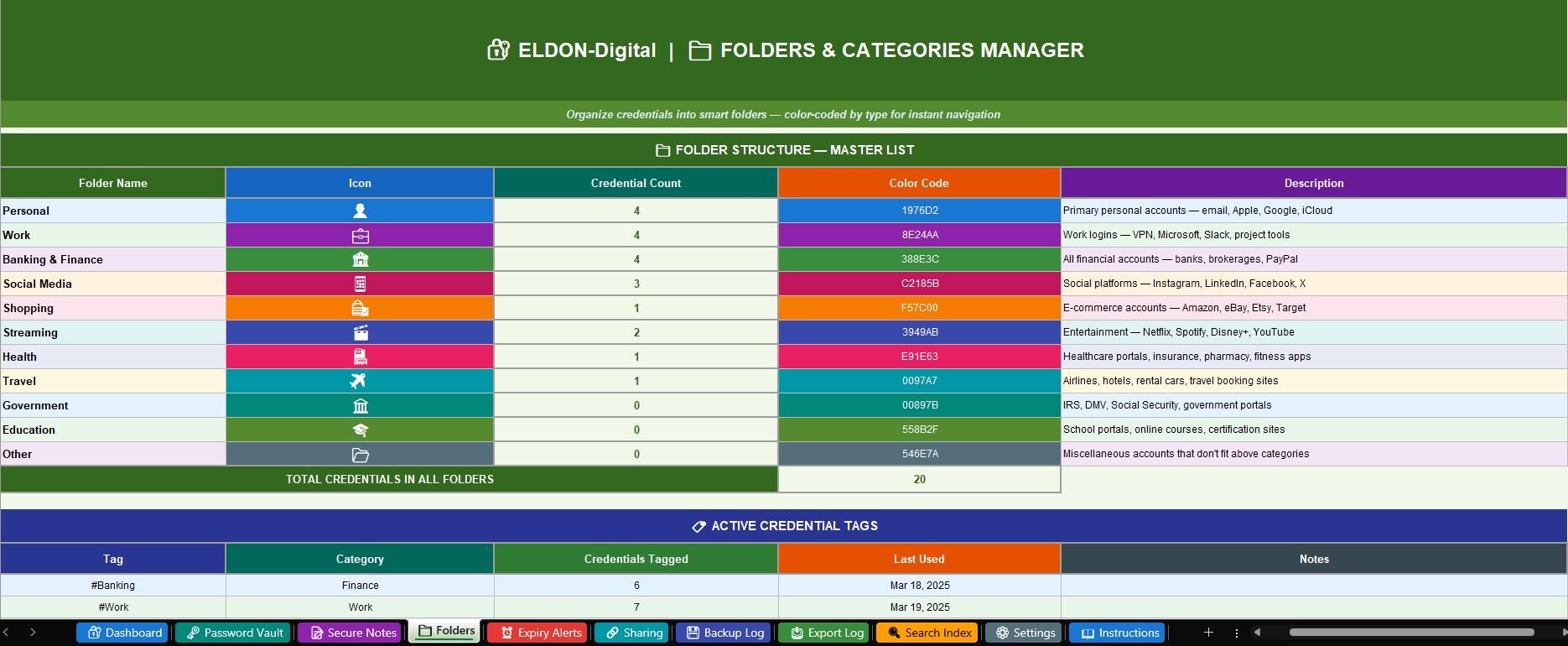
📁 4. Folders & Categories Manager -A complete organizational taxonomy for your credential library. 11 color-coded default folders: Personal, Work, Banking & Finance, Social Media, Shopping, Streaming, Health, Travel, Government, Education, Other. Each folder shows a live credential count formula that automatically updates as you add entries to the vault. A 10-tag active tags section at the bottom (#Banking, #Work, #2FA, #WeakPwd, #Reused, #Expiring, and more) with usage counts and last-used dates 🗂️
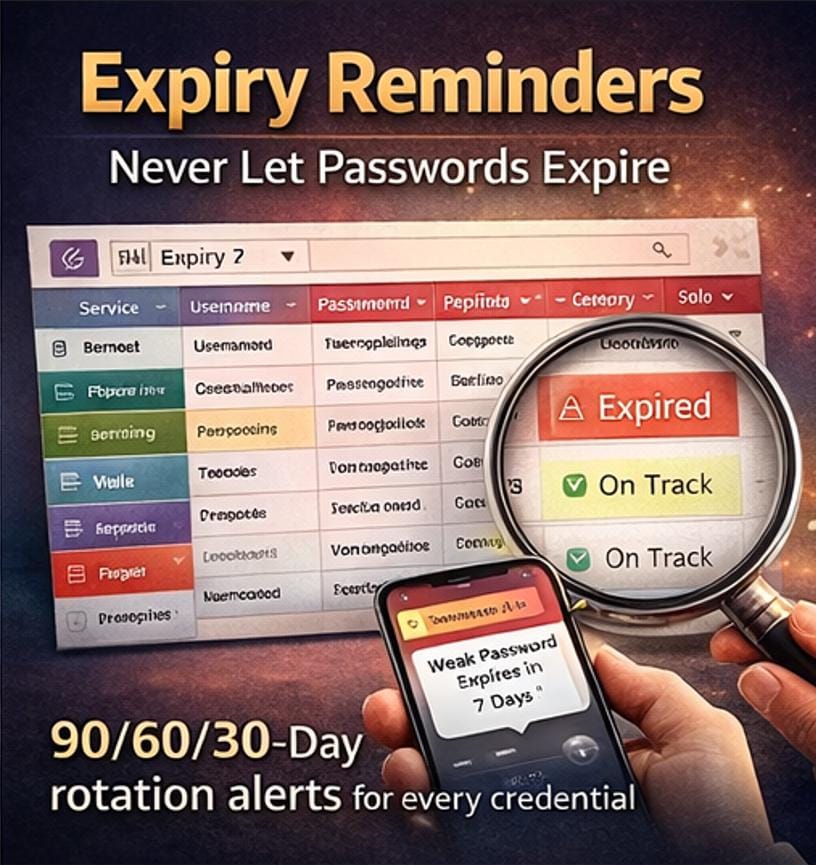
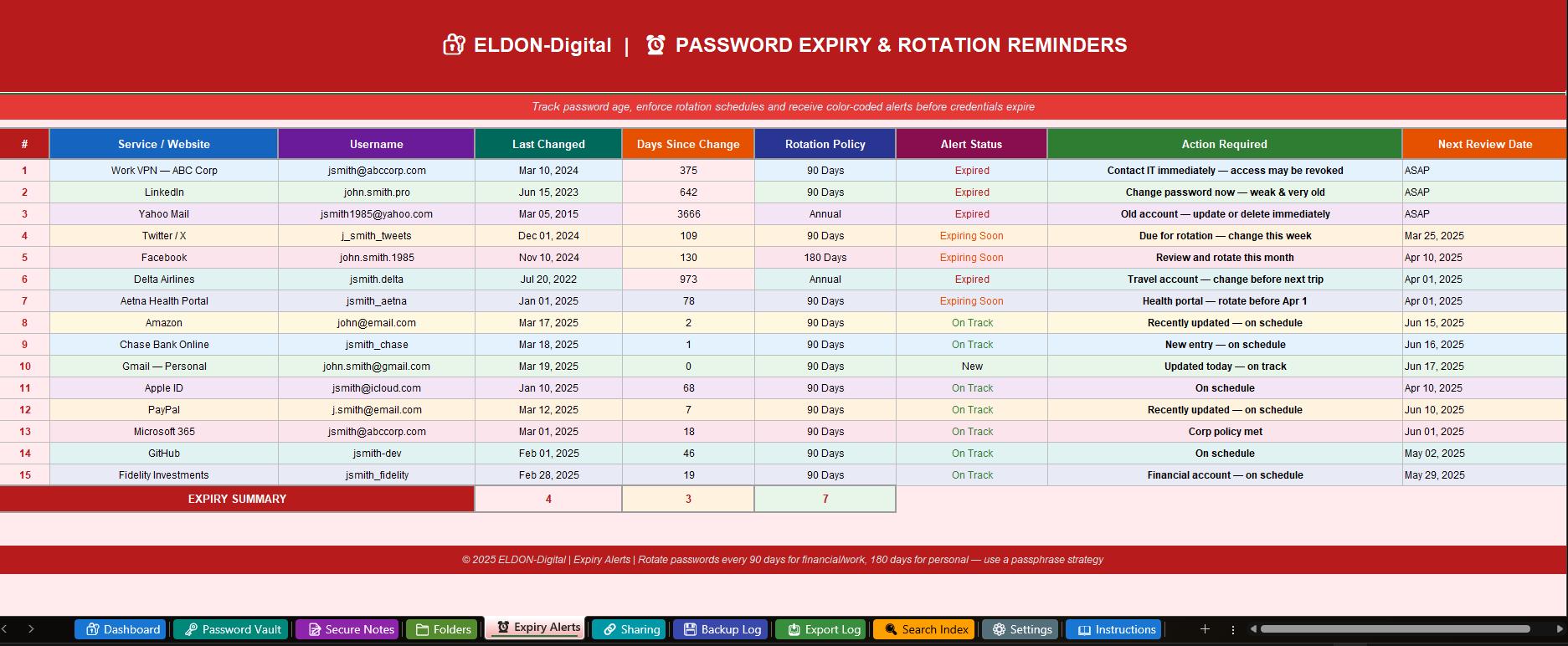
⏰ 5. Password Expiry & Rotation Reminders -Never let a password grow dangerously old again. Track each credential's last-changed date, days since last change, rotation policy (30/60/90/180 days/Annual), and alert status. The 3-tier color alert system fires automatically: 🔴 Expired (red) for overdue rotations, 🟡 Expiring Soon (orange) for approaching deadlines, 🟢 On Track (green) for compliant passwords. Includes required action descriptions and next review dates. Summary row auto-counts expired, expiring, and on-track credentials. Financial and work passwords flag red after 90 days 📅
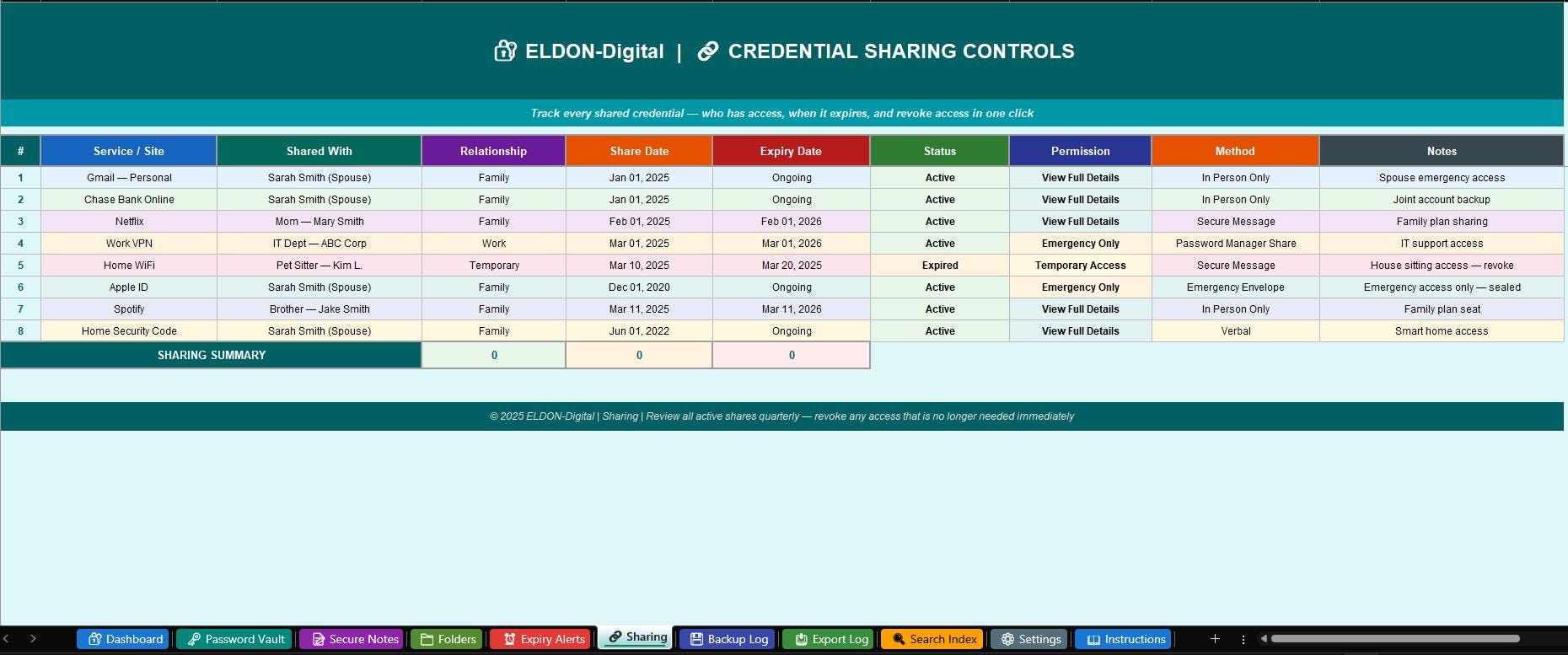
🔗 6. Credential Sharing Controls -Complete tracking of every credential you have shared with family, colleagues, or service providers. Record who you shared with, their relationship, share date, expiry date, current status (Active/Expired/Revoked/Pending), permission level (View Username Only/View Full Details/Emergency Only/Temporary Access), sharing method (In Person/Secure Message/Emergency Envelope), and notes. Color-coded status column makes it instant to see what is still active and what needs to be revoked. Summary row tracks active vs. expired vs. revoked shares 🔑
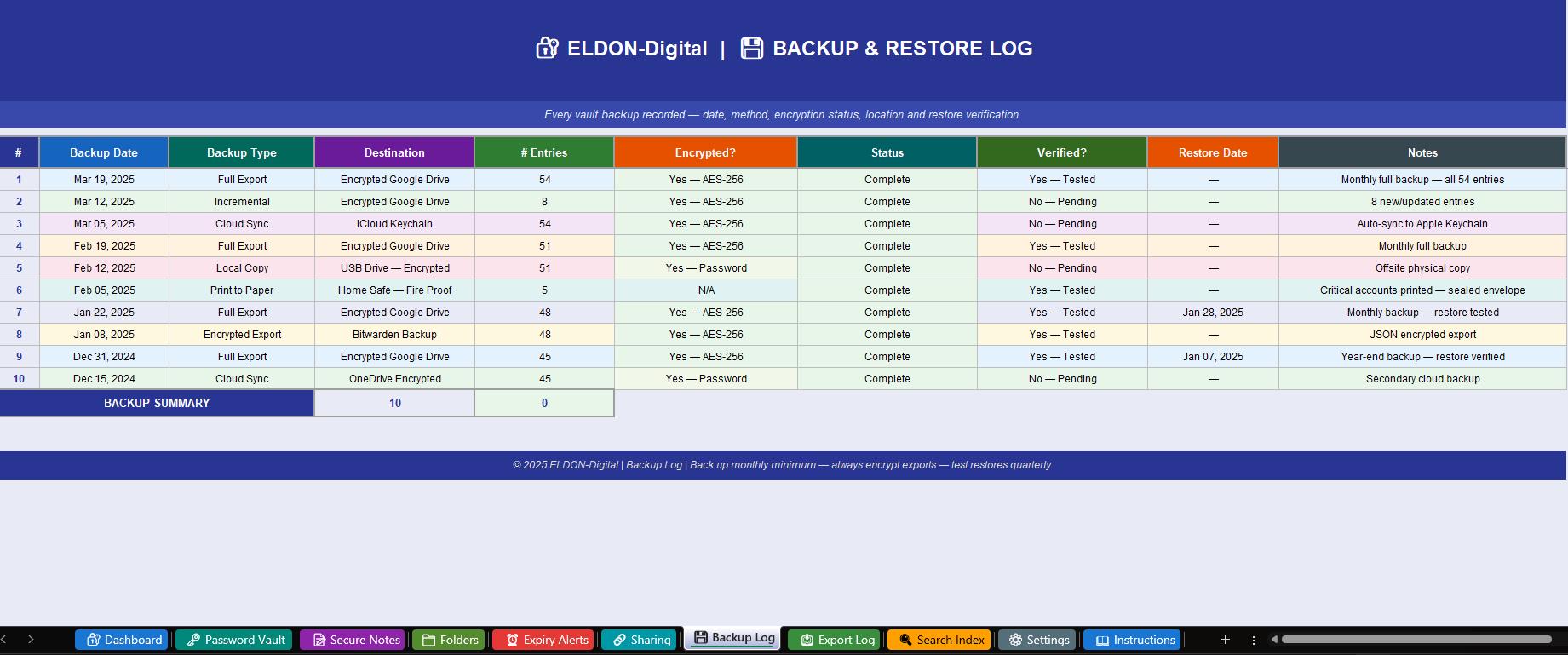
💾 7. Backup & Restore Log -Your complete vault backup audit trail. Record every backup with: date, backup type (Full Export/Incremental/Encrypted Export/Print to Paper/Cloud Sync), destination, number of entries backed up, encryption standard (AES-256/Password-Protected/None), completion status, verification status, restore test date, and notes. Tracks compliance with the 3-2-1 backup rule. Encryption and status columns color-code green for secure, red for unencrypted. Summary row shows total backups and completion rate 🗄️
📥 8. Export & Download Audit Log -A complete audit trail of every time vault data left the system. Record export date, who exported, format (CSV Encrypted/JSON/PDF Printout/Encrypted ZIP/KeePass XML/Bitwarden JSON), number of records exported, purpose (Backup/Migration/Audit/Recovery), destination, and notes. Color-coded by format and purpose. This protects against unauthorized exports and creates a security accountability record. Auto-counts total export events 📋
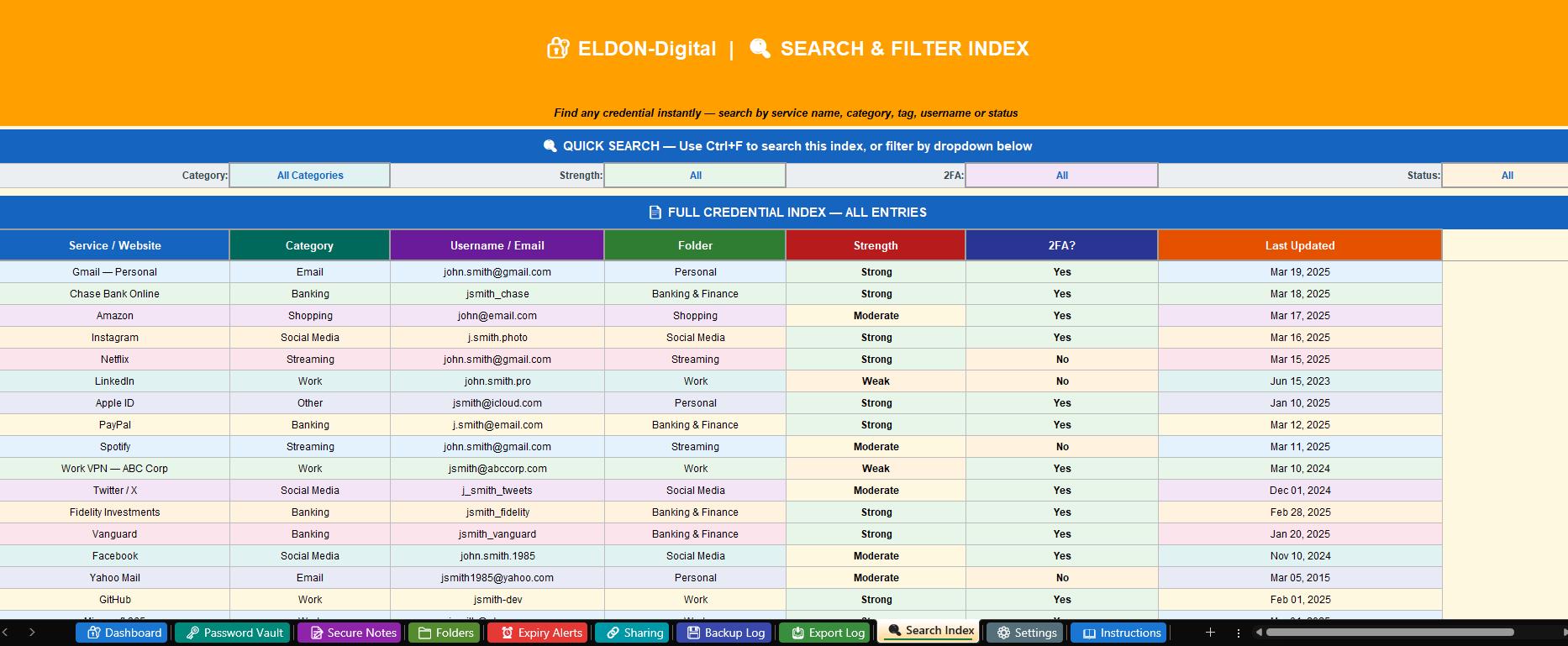
🔍 9. Search & Filter Index -Your rapid-access credential directory. Four filter dropdowns at the top let you narrow by Category, Strength, 2FA Status, and Last Updated. The full 20+ credential index below shows service name, category, username, folder, strength, 2FA status, and last updated for every entry. Use Excel's Ctrl+F to find any credential by any keyword in under 3 seconds. Summary row calculates total indexed credentials, strong password count, 2FA-enabled count, and your weak password percentage 🔎
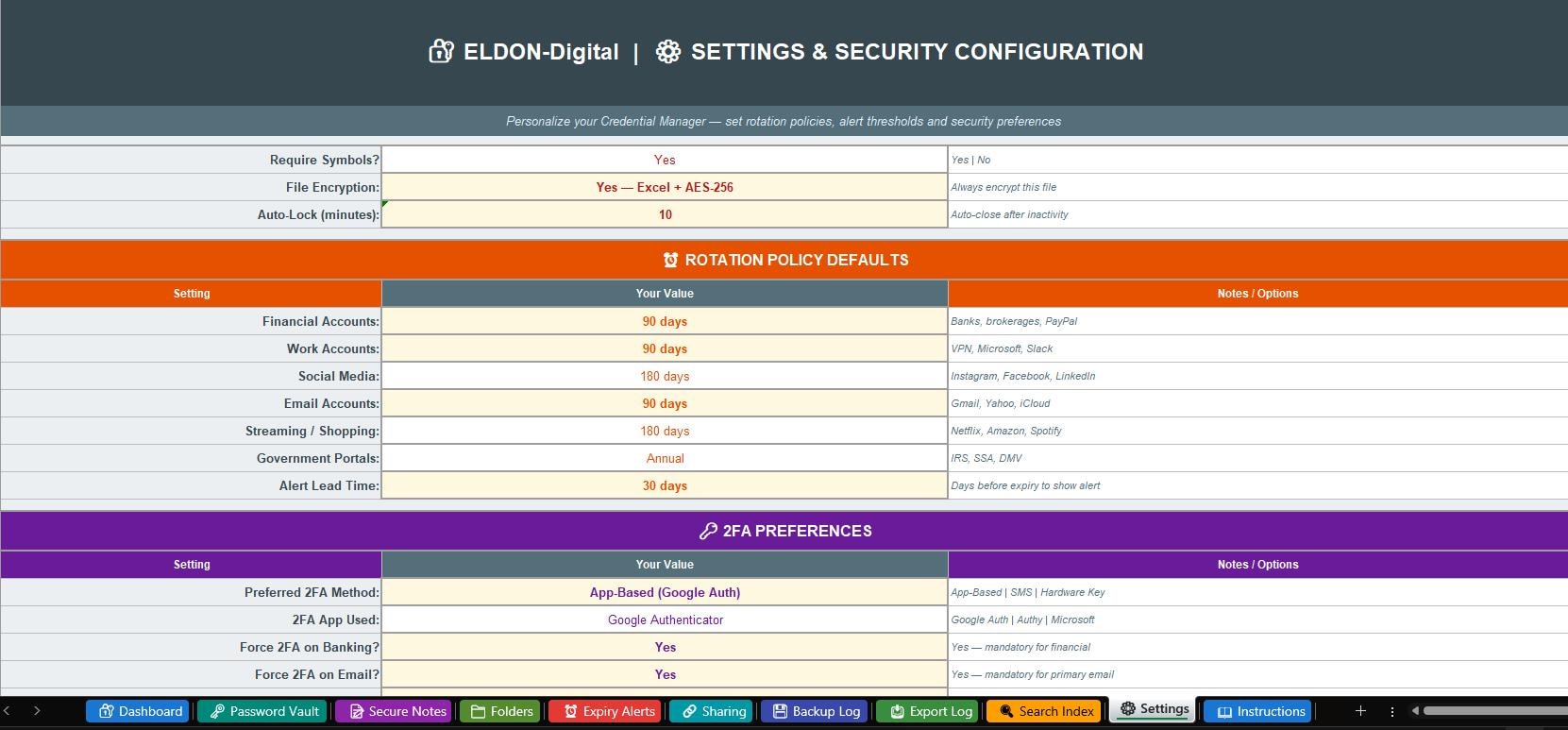
⚙️ 10. Settings & Security Configuration -Six comprehensive configuration sections to personalize your entire system: Owner Profile (name, email, master hint -hint only!), Security Preferences (minimum length, complexity requirements, file encryption, auto-lock timer), Rotation Policy Defaults (set custom rotation schedules by account type), 2FA Preferences (preferred method, mandatory 2FA for banking/email, backup code storage), Backup Preferences (primary and secondary backup destinations, export format, paper backup), and Alert Preferences (alert lead days, breach check reminders, security score target). Yellow-highlighted cells mark critical security inputs 🛠️
📖 11. Comprehensive Security Instructions Guide -This is not just a how-to -it is a complete digital security education guide. Starts with a critical security warning (reading required before use). Includes a 9-step quick-start guide, detailed guides for the Password Vault hint strategy, passphrase method (NIST recommended), 2FA setup, strength rating guide, rotation policy guide, and backup strategy. Plus 6 expert security tips: using a dedicated password manager app alongside this tool, the fictional answer strategy for security questions, SIM swap protection, annual security audit checklist, creating a dedicated finance-only email, and setting up an Emergency Access Envelope for trusted family members 💡
________________________________________
🔥 WHAT MAKES THIS MANAGER EXCEPTIONAL:
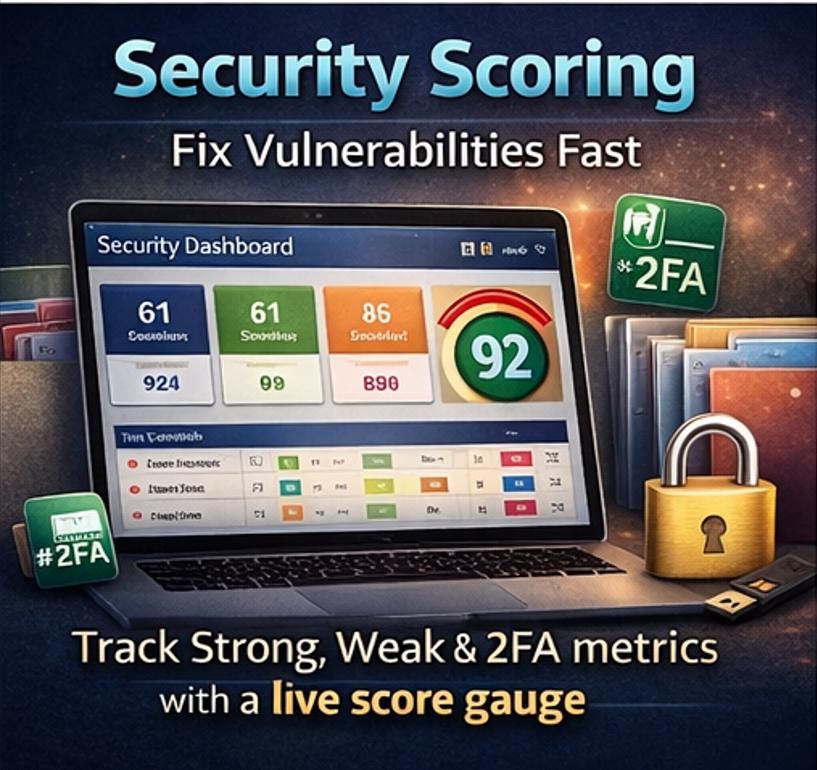
🛡️ Privacy-first architecture -Your data never leaves your device or goes to any cloud you did not choose 🔐 Password HINT system -Engineered so you never write actual passwords in plain text anywhere in the file 📊 Live security score -Dashboard calculates your vault's security health score automatically (out of 100) 🎨 11 unique color themes -Each sheet has its own color palette for instant visual navigation 🔽 60+ smart dropdown menus -Categories, strength ratings, 2FA types, rotation policies, export formats and more 📅 Date validation on all date fields -Prevents formatting errors on all rotation and backup date columns 🔴🟡🟢 3-tier color alert system -Expired/Expiring Soon/On Track visual flags throughout all relevant sheets 🔑 2FA tracking built in -See at a glance which accounts have two-factor enabled and which are vulnerable ✅ Zero formula errors -All 43 formulas professionally audited and verified across all 11 sheets 📱 Works everywhere -Excel 2016+ and Google Sheets compatible -use on any device
________________________________________
🏆 PERFECT FOR:
🔐 Anyone who relies on online banking, investing, or financial accounts 💼 Remote workers and professionals managing multiple work system logins 👨👩👧 Families who need emergency access planning and shared credential management 🛒 Online shoppers with accounts spread across dozens of retailers and services 📱 Tech-savvy individuals who want a local, private alternative to subscription password apps 🔑 People who have experienced a data breach and want to finally get organized 🏠 Homeowners managing smart home systems, security codes, and utility portals 👴 Caretakers helping elderly family members organize and secure their digital accounts
________________________________________
⚡ GET SECURE IN 20 MINUTES:
1️⃣ Download -Get your .xlsx file instantly after purchase 2️⃣ Encrypt -Immediately add Excel file encryption (instructions included) 3️⃣ Configure -Open ⚙️ Settings and set rotation policies, alerts, and your backup plan 4️⃣ Add Credentials -Start entering hints in 🗝️ Password Vault -banking and email first 5️⃣ Check Your Score -Watch the 🔐 Dashboard security score climb as you secure each account ✨
________________________________________
📌 FILE DETAILS:
📁 Format: .xlsx (Microsoft Excel) 💻 Compatible With: Excel 2016, 2019, 2021, Microsoft 365, and Google Sheets 📥 Delivery: Instant Digital Download -no waiting, no shipping 🔧 Fully Editable: Add unlimited credentials, customize categories, and adapt to your exact needs 🌐 Language: English 🔒 Privacy: Designed for complete local privacy -ELDON-Digital never sees a single credential
________________________________________
❓ FREQUENTLY ASKED QUESTIONS:
Q: Is this secure? How are my passwords protected? A: This system is built around a password HINT strategy -you never store actual passwords. Combined with Excel's built-in AES-level encryption (detailed in the Instructions sheet), this gives you a private, device-local credential reference system. Your data never goes to any third-party server.
Q: Should I use this instead of a password manager app? A: This works brilliantly alongside a password manager app. Use the app for daily autofill, and use this Excel vault for organization, auditing, security scoring, rotation tracking, and backup documentation. The Instructions sheet explains this dual-system strategy in detail.
Q: How many credentials can this hold? A: The Password Vault is designed for 100+ entries out of the box. Simply add rows following the same format -all formulas automatically include new data. There is no practical limit.
Q: Can I share this with family members? A: Yes -the Sharing Controls sheet is specifically designed for tracking family emergency access. You can record who has access to what, with what permission level, and when that access should expire or be revoked.
Q: Does this work on a Mac? A: Yes! The file works on both Windows and Mac versions of Microsoft Excel, and also in Google Sheets on any browser or device.
________________________________________
⭐⭐⭐⭐⭐ "The Security Score on the dashboard motivated me to fix every weak password in one weekend. I went from a 42% score to 89% in two days. ELDON-Digital made security feel achievable!"
⭐⭐⭐⭐⭐ "My husband and I both have emergency access to each other's accounts now, documented in the Sharing sheet. This is the peace of mind we didn't know we needed."
⭐⭐⭐⭐⭐ "I've been meaning to organize my passwords for years. This made it actually happen. The color-coding shows immediately where the problems are. Worth every penny!"
________________________________________
🛍️ Explore more premium digital security and organization tools from ELDON-Digital -beautifully built, thoughtfully designed for real life.
💌 Questions? Message us anytime -we respond within 24 hours and love helping our customers build stronger digital security habits!
________________________________________
⚠️ Important Disclaimer: This product is an organizational and tracking tool. It does not provide encryption, cybersecurity services, or professional security advice. Always combine this tool with proper file-level encryption and consult a cybersecurity professional for enterprise-level needs.
© 2026 ELDON-Digital | All Rights Reserved | For personal use only | Redistribution or resale strictly prohibited