Employee Shift Scheduler Excel Template | Staff Rota Planner, Labor Cost Calculator
$11.24 $14.99
🌟 Transform the Way You Manage Your Team's Schedule - Forever
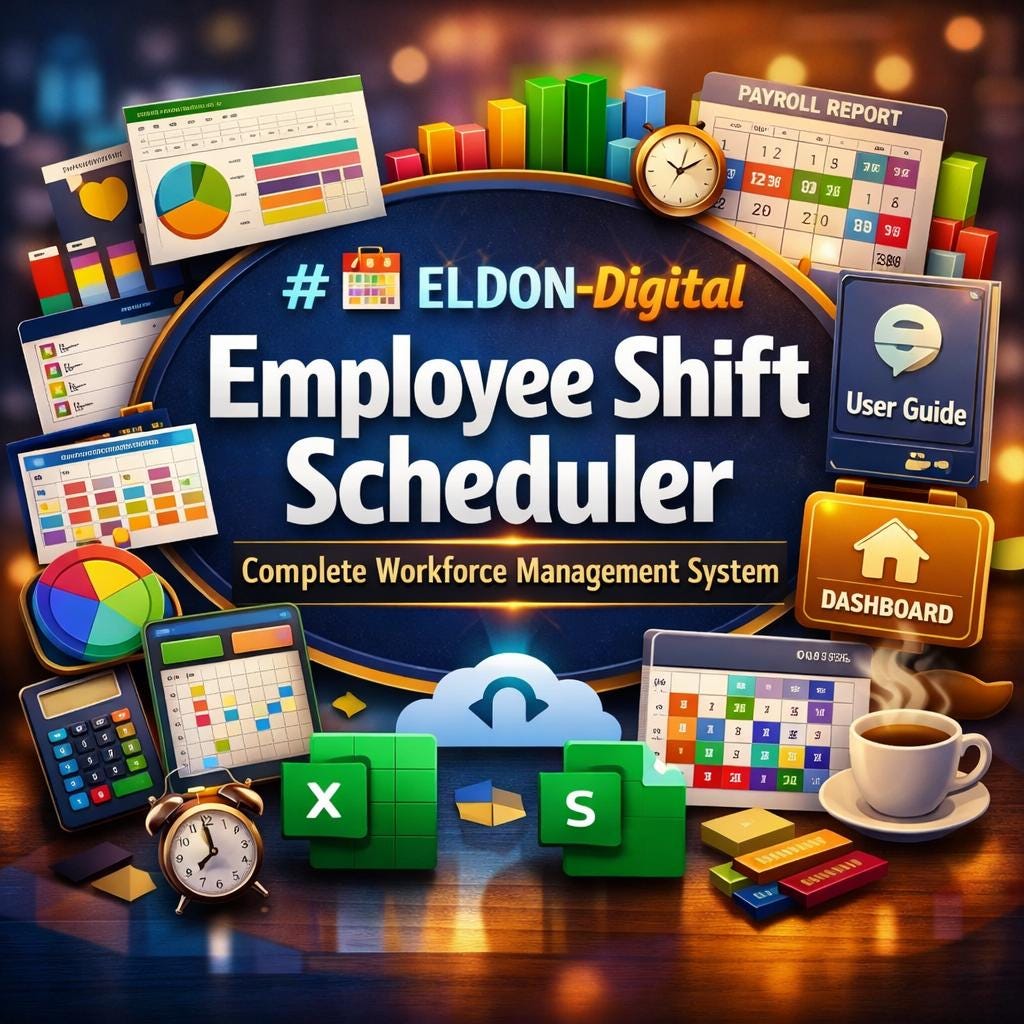
Say goodbye to scheduling chaos, paper rosters, and endless spreadsheet headaches. The ELDON-Digital Employee Shift Scheduler is a professionally designed, fully automated Excel workbook built for business owners, managers, HR professionals, and team leads who need a powerful, beautiful, and easy-to-use scheduling solution - right out of the box.
Whether you're managing a retail store, warehouse team, restaurant staff, medical practice, or any shift-based operation, this template does the heavy lifting so you can focus on running your business. 💼
________________________________________
📦 WHAT YOU'LL RECEIVE
Upon purchase you will instantly download a ZIP file containing two professional files:
📊 File 1 - ELDON_Digital_Shift_Scheduler.xlsx The complete, fully-loaded Excel workbook with 12 color-coded sheets, 157 live formulas, 11 dynamic charts, and pre-filled mock data so you can see exactly how the system works the moment you open it.
📘 File 2 - ELDON_Digital_Shift_Scheduler_User_Guide.docx A stunning 33-page step-by-step instructional guide written specifically for this template. It walks you through every single sheet, every formula, every button, and every feature - from first-time setup to advanced usage. Perfect for sharing with your management team.
________________________________________
🗂️ INSIDE THE WORKBOOK - 12 FULLY DESIGNED SHEETS
Every sheet features its own unique color theme, colorful data tables, embedded charts, and a gold ⌂ Dashboard button that returns you to the main hub with one click.
📋 Instructions Sheet - clickable navigation index and complete how-to guide built right into the workbook
⚙️ Settings Sheet - your control center: enter your company name, fiscal year, OT multiplier, payroll tax rate, departments, and shift colors once - and every sheet updates automatically
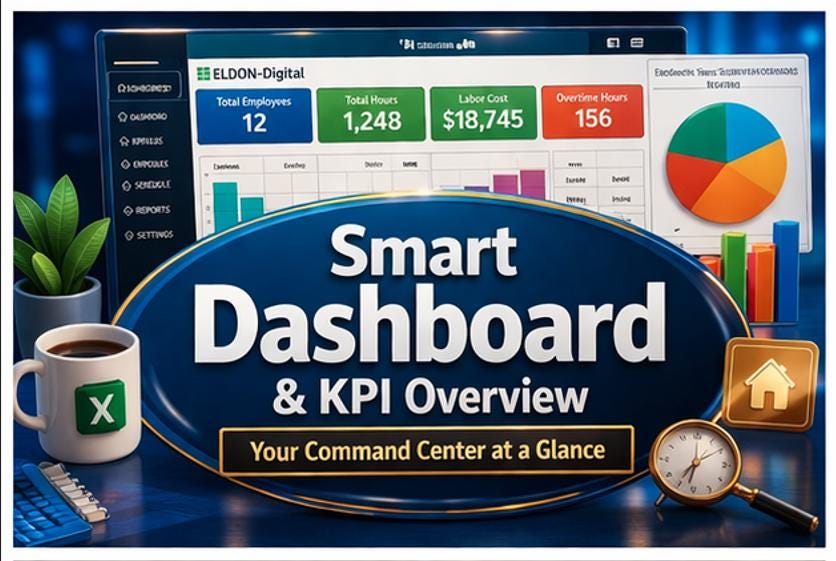
🏠 Dashboard - your command center with KPI boxes, 11 color-coded navigation buttons, an employee snapshot, and a live weekly shift distribution chart
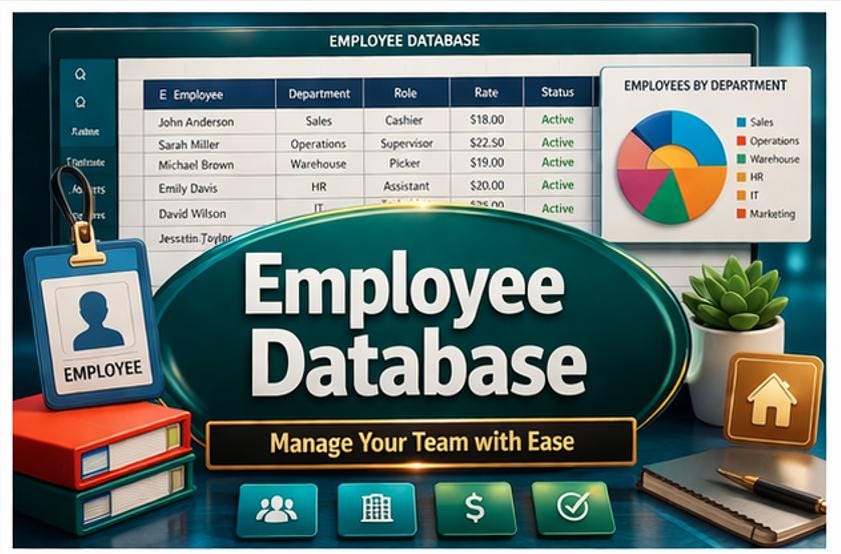
👤 Employee Database - roster for unlimited staff with names, roles, departments, hourly rates, employment type, and status tracking, plus a department pie chart
🔄 Shift Templates Library - define all your shift types (Morning, Evening, Night, Split, On-Call, OFF) with start/end times, hours, load type, and color-coded swatches
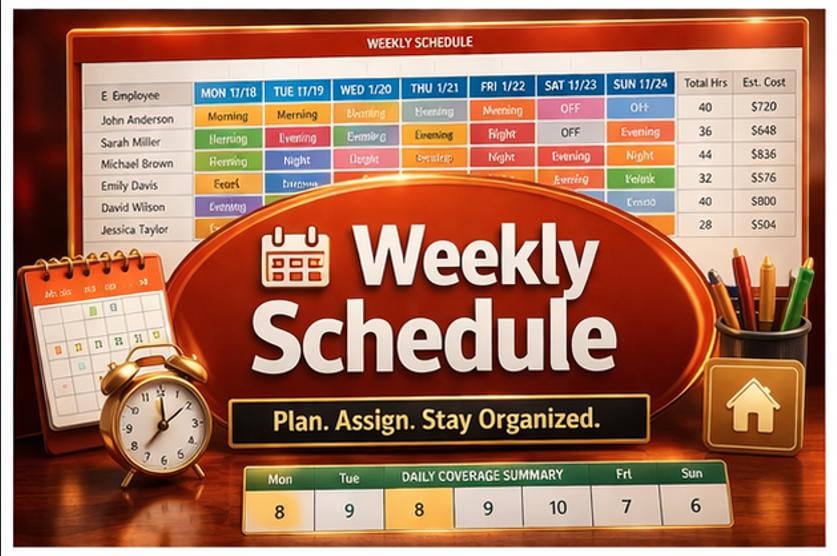
📅 Weekly Schedule - 7-day shift assignment grid with auto-calculated total hours, estimated labor cost per employee, and a daily coverage summary
📆 Monthly Schedule - 31-day color-coded grid giving you a bird's-eye view of the entire month, with monthly hour and cost totals
✅ Availability Tracker - day-by-day availability matrix using ✅ ❌ symbols so you never schedule the wrong person on the wrong day
💙 Shift Preferences - capture each employee's preferred shifts, shifts to avoid, blackout dates, and priority scores to build fairer schedules faster
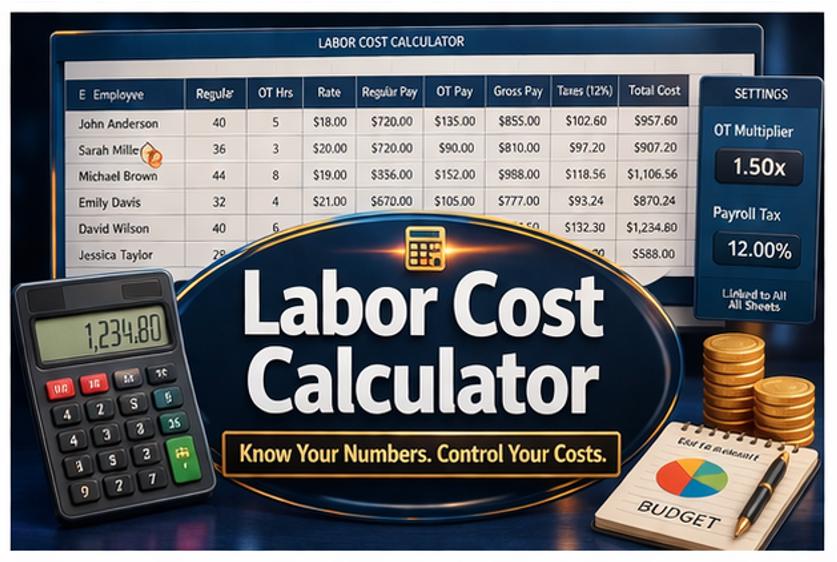
💰 Labor Cost Calculator - calculates regular pay, overtime pay (linked live to your Settings OT multiplier), gross pay, and total employer cost including payroll taxes - for every employee, every pay period
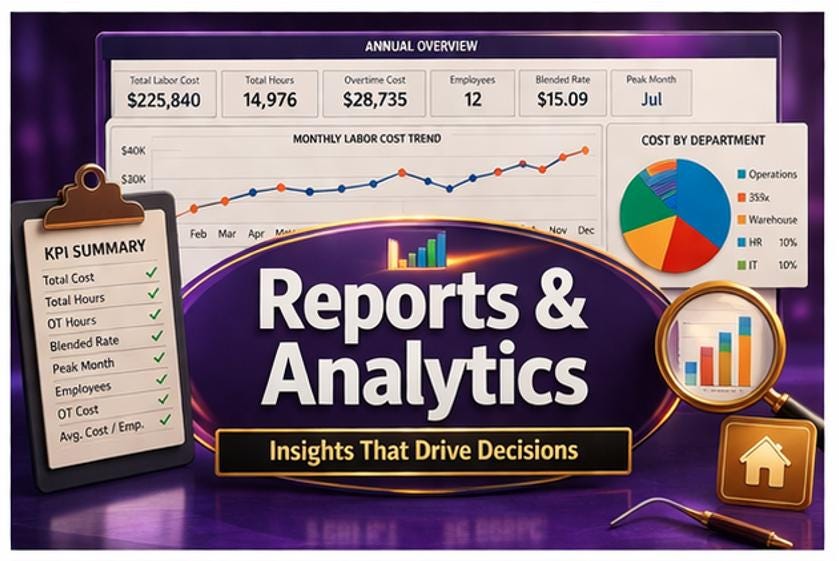
📊 Reports & Analytics - full-year monthly cost trend line chart, department cost breakdown pie chart, and 8 annual KPI metrics including blended hourly rate, total OT cost, and peak spend month
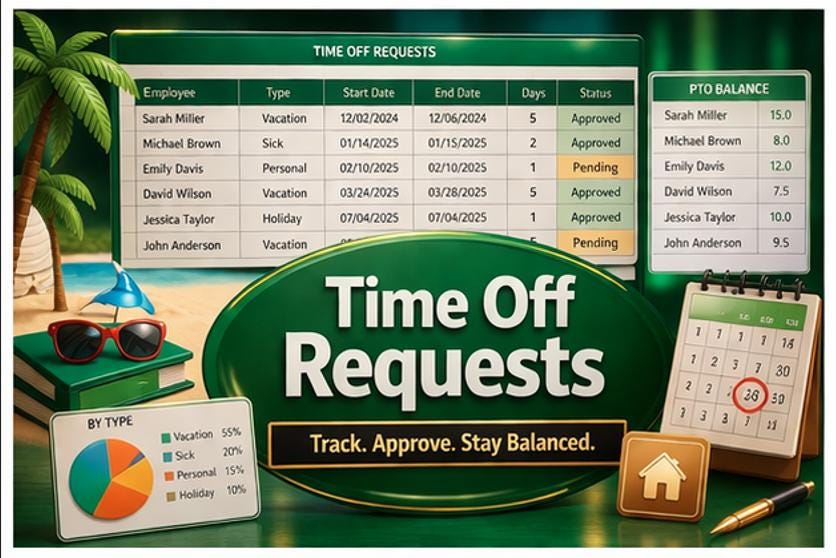
🏖️ Time Off Requests - track vacation, sick, personal, and holiday requests with approval status, PTO balance summary, and a by-type breakdown chart
________________________________________
⚡ POWERFUL FEATURES BUILT IN
✅ 157 live formulas - zero errors, fully audited and verified ✅ 11 embedded charts - bar, column, pie, and line charts across 9 sheets ✅ Dynamic fiscal year system - change one cell in Settings and ALL 31 year references across the entire workbook update instantly ✅ Settings-linked OT & tax formulas - update your overtime multiplier or payroll tax rate once; every labor cost calculation recalculates automatically ✅ INDEX/MATCH cost lookups - weekly labor costs pull employee rates directly from the database, all wrapped with IFERROR protection ✅ Dynamic PTO dates - all 24 time-off dates use DATE() formulas tied to the Settings fiscal year ✅ Color-coded shift grids - each shift type displays in its own distinct color for instant visual recognition ✅ Navigation button system - 33 internal hyperlinks connecting every sheet, including a Dashboard button on every single page ✅ Freeze panes & structured layouts - headers always visible while scrolling through large data sets ✅ Alternating row colors - every data table uses professional alternating row styling for easy reading ✅ Unique color theme per sheet - navy, teal, forest green, burnt orange, deep indigo, crimson, rich purple, charcoal, and more ✅ Pre-filled with realistic mock data - 12 employees, 12 PTO requests, 10 shift types, and a full year of monthly analytics data ready for you to replace with your own
________________________________________
🖥️ COMPATIBLE SOFTWARE & DEVICES
This template is designed to work seamlessly across all major platforms so your whole team can access it anywhere:
💻 Desktop & Laptop:
• Microsoft Excel 2016, 2019, 2021, and Microsoft 365 (Office 365) on both Windows PC and Mac - full functionality including all charts, hyperlinks, and formulas
• Google Sheets via browser on any computer - upload the .xlsx file through Google Drive and all formulas and charts remain fully active
📱 Mobile & Tablet:
• Microsoft Excel app on iPhone, iPad, and Android devices - view and edit schedules on the go via the free Excel mobile app
• Google Sheets app on iOS and Android - access and update your schedule from any smartphone or tablet after uploading to Google Drive
☁️ Cloud Storage:
• Compatible with Microsoft OneDrive, Google Drive, Dropbox, and any cloud storage platform that supports .xlsx files - share with your team and collaborate in real time
________________________________________
📥 HOW TO DOWNLOAD, OPEN & START USING YOUR TEMPLATE
Step 1 - Download 📥 After purchase, click the download link in your Etsy confirmation email or your Etsy account under Purchases. Save the ZIP file to your computer.
Step 2 - Extract the ZIP 🗂️ Right-click the ZIP file and select "Extract All" (Windows) or double-click to unzip (Mac). You will find two files inside: the Excel workbook and the Word instructional guide.
Step 3 - Open in Microsoft Excel 💻 Double-click the .xlsx file to open it in Excel. If you see a yellow "Protected View" banner, click "Enable Editing" to unlock all features. All 12 sheets, formulas, charts, and navigation buttons will be fully active immediately.
Step 4 - Open in Google Sheets 🌐 Go to drive.google.com → click New → File Upload → select the .xlsx file. Once uploaded, right-click it and choose Open with → Google Sheets. All formulas and charts will load and function normally. (Note: In Google Sheets, click a navigation button once to see the link, then click the blue URL to navigate.)
Step 5 - Read the Instructional Guide 📘 Open the included User Guide .docx file in Microsoft Word (any version) or Google Docs (upload to Google Drive → Open with Google Docs). The guide explains every sheet, every formula, and every step in beautiful detail with color-coded reference tables.
Step 6 - Configure Your Settings ⚙️ Open the Settings sheet and fill in your company name, fiscal year, OT multiplier, payroll tax rate, and department list. This takes less than 5 minutes and instantly personalizes every sheet in the workbook.
Step 7 - Replace the Sample Data ✏️ Go to the Employee Database sheet and replace the 12 sample employees with your real staff. Then update the Shift Templates to match your actual shift types. You're ready to build your first real schedule!
________________________________________
💡 WHO IS THIS TEMPLATE FOR?
This template is ideal for:
🏪 Retail stores & boutiques managing part-time and full-time floor staff 🏨 Hotels & hospitality businesses with rotating shift patterns across departments 🏥 Medical offices & clinics scheduling nursing, admin, and support staff 🏭 Warehouses & logistics operations with morning, day, and night shift cycles ☕ Cafés & restaurants managing front-of-house and kitchen teams 🏋️ Gyms & fitness centers scheduling trainers, front desk, and cleaners 📞 Call centers with complex shift rotation systems 🏫 Schools & educational institutions scheduling admin and support staff 🏢 Any small-to-medium business with 2–50+ employees across multiple departments
________________________________________
🎨 DESIGN PHILOSOPHY
The ELDON-Digital Shift Scheduler was designed with the same care as a premium software application - not just a generic spreadsheet. Every color was chosen deliberately. Every layout was tested for readability. Every formula was audited for accuracy. The result is a tool that looks as good as it performs, and one your team will actually enjoy using every day.
________________________________________
❓ FREQUENTLY ASKED QUESTIONS
Do I need any special software or plugins? No. This works with standard Microsoft Excel (2016 or later) or Google Sheets. No macros, no add-ins, no subscriptions required.
Can I add more employees beyond the 12 included? Absolutely. Simply add more rows below the existing data. The User Guide includes a dedicated section explaining exactly which formula ranges to extend when you add more staff.
Will the formulas break if I change data? No. All 157 formulas are protected against common errors using IFERROR and are structured to handle blank cells gracefully. The User Guide's Troubleshooting section covers every known issue with step-by-step solutions.
Can I use this for multiple locations or departments? Yes. You can duplicate the workbook for each location, or use the department columns within the existing structure to manage multiple teams in one file.
Is this a one-time purchase or subscription? This is a one-time digital purchase. You own the file forever with no recurring fees.
________________________________________
📌 IMPORTANT NOTES
🔒 This is a digital download only - no physical item will be shipped. 🔄 Due to the digital nature of this product, all sales are final - please review the preview images carefully before purchasing. 📧 Questions before buying? Send a message through Etsy and we'll respond promptly. 🌟 Loved your purchase? Please leave a review - it means the world to small digital creators and helps other buyers find this template!
________________________________________
© 2026 ELDON-Digital. All rights reserved. This template is for personal and single-business use only. Redistribution, resale, or sharing of this file is not permitted.